Original price was: €149.99.€19,99Current price is: €19.99.
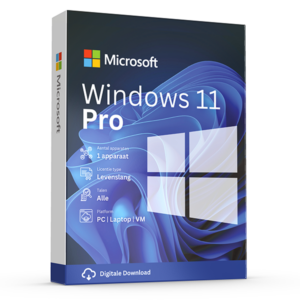
You will receive all the information to install the package. Additionally, you are guaranteed the latest updates and it is possible to use the package for a lifetime (no subscription).
After ordering you will receive the activation code, manual and download link. This product can be installed on 1 PC/laptop and you can reinstall it on the same device if necessary.
The product can be installed in various languages, including Dutch, English, German, or French.
Take advantage now! Prices will rise again after this promotion ends.
100% activation guarantee
If activation does not work, money back!
Directly delivered
The license key will arrive in your mailbox shortly!
Lowest price
Always the lowest price guarantee!
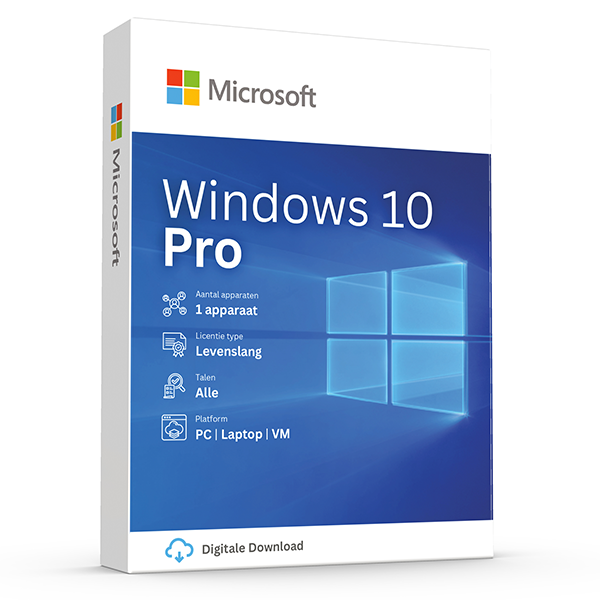
Windows 10 Pro is the new operating system from Microsoft, specially developed for professional users and businesses. In addition to the commonly used equipment such as computers and laptops on which Win 10 Pro runs, portable devices are also equipped with this operating system. This makes Microsoft Windows 10 Pro available on every portable device with its features, supporting optimal conditions for a professional user.
The new operating system Windows 10 Pro provides especially for advanced users such as businesses an optimal computer support. The Win 10 Pro operating system runs just like the newer versions with a user‑friendly and modern interface. Microsoft Windows 10 Pro also adapts well to any device and its features. Regarding the Windows 10 Pro operating system, it has not changed much compared to Windows 7 and 8.1. As a result, older computers and equipment can run Win 10 Pro without problems, and this is very beneficial in a company's transition.
New features in the Windows 10 Pro operating system
The operating system Windows 10 Pro provides its users with so‑called ‘’Business Features’’, such as adding a domain, Group Policy Management, BitLocker, enterprise – mode for Internet Explorer EMIE, Remote Desktop, a dedicated Access 8.1 and a Hyper‑V client. Moreover, the Windows 10 Pro operating system also includes general new features and programs:
Cortana : Assistant to operate the system
Microsoft Edge : New internet browser ; replaces the previous Internet Explorer
Face and fingerprint recognition ( if corresponding devices are available)
Continuum : Tablet mode for touch devices.
Windows Holographic : application platform developed for the HoloLens – Databril (virtual reality headset)
Common program’s for e-mail, calendar’s, music, images and video’s and the new DirectX 12 Graphics for optimization are also included in the Windows 10 Pro operating system. Moreover, the Win 10 Pro version provides the ability to use the cloud‑based identity and access management service Azure Active Directory. With a single sign‑on, users gain access to numerous cloud SaaS applications such as DropBox, Office 365 and Concur.
Feature innovations in the Windows 10 Home operating system
In Win 10 Pro, but also in the Home version, the Start menu has been revised. It now offers a range of tiles that can be individually customized with various functions. Even the desktop of the Windows 10 Pro operating system has the new feature and the ability to create multiple virtual desktops for different applications. Microsoft Windows 10 Pro also provides additional access to a Business Store.
Security and privacy
Regarding security, the Windows 10 Pro operating system supports the FIDO Alliance's standard 2.0 for Internet Authentication. Also the program ‘’Microsoft Hello’’ which supports biometric authentication passwords has been introduced as a free application. When it comes to data protection, Microsoft Windows 10 Pro has added the Enterprise Data Protection version to the platform.
Professional computer support for Microsoft Windows 10 Pro
Windows will act only as a service in the future, which is why no new Windows version is planned after Windows 10. Thus, Microsoft is focusing not only on system optimization and problem solving. The principle ‘‘Windows as a Service‘‘ also includes new features that were not included at the time of purchase. With this, Windows 10 is continuously expanded and improved.
Windows 10 Pro Frequently Asked Questions
Windows 10 Pro – OEM
This version of Windows can only be installed once on a computer. After that it will be tied to that computer and cannot be used on other devices. This key also cannot be linked to your Microsoft account. It is not legal to resell this type of keys.
Windows 10 Pro – RETAIL
With this key you can also upgrade Windows Home to the Pro version. This is the type of key you purchase at Licentiepromo.be
The minimum requirements for Windows 10, including the Pro edition, include a 64-bit 1 GHz or faster processor with two or more cores, 4 GB RAM or more, 64 GB storage or more, UEFI firmware with Secure Boot, TPM version 2.0, and a DirectX 12-compatible graphics card.
Windows 10 Pro is a version of Windows 10, an operating system developed by Microsoft. It is designed for professional users and business environments, and offers a range of features and capabilities that are tailored to the needs of professionals and organizations. Some of the main features and differences of Windows 10 Pro compared to the Home edition are:
Advanced security features: Windows 10 Pro includes enhanced security features such as BitLocker device encryption, which helps protect data on your device from unauthorized access, and Windows Information Protection (WIP), which helps protect against potential data leaks.
Domain join and group policy management: With Windows 10 Pro, users can join a domain, which is essential for networks within businesses. This enables IT administrators to centrally manage policy settings via Group Policy.
Remote desktop support: Users can connect to their computer remotely via Remote Desktop, which is convenient for users working from home or another location.
Hyper-V: Windows 10 Pro includes Hyper-V, a virtualization feature that allows users to run multiple operating systems as virtual machines on één physical computer.
Assigned access: With assigned access, IT administrators can configure a device to run only één specific app.
Windows Update for Business: This feature gives IT administrators more control over the update process, with the ability to defer updates and choose when they are geïmplementeerd.
Windows 10 Pro is designed to meet the demands of business environments and advanced users who require advanced security, management, and virtualization features.
You can download Windows 10 Pro from the official Microsoft website. There you download the tool that creates an installation USB stick or DVD. Click the button below to go to the Microsoft website. The software you download is not from Licentiepromo.be but is owned by Microsoft.
Download Windows 10Yes, you can upgrade a Windows 10 Home license to Windows 10 Pro by purchasing an upgrade license. Windows 10 Pro retail can always provide an upgrade from Home to Pro
Yes, Windows 10 Pro is well suited for remote work thanks to features such as support for remote desktop, advanced security options, and the ability to connect to corporate networks via domain join.
You can activate your Windows 10 Pro license by going to Settings, navigating to the “Update and Security” section, and entering the product key there.
You can often resolve problems by installing system updates, updating drivers, or using Windows troubleshooters. For more complex issues, you can seek help in the Microsoft community or contact support.
Windows 10 Pro offers several additional features compared to Windows 10 Home, primarily focused on advanced security, management, and use in professional environments. Here are the main differences:
BitLocker device encryption: Protects data by full disk encryption, which is especially important for devices that contain sensitive information and are at risk of theft or loss.
Domain join and Azure Active Directory: With Windows 10 Pro, users can add their device to a domain or Azure Active Directory, which is essential for accessing network files, servers, printers, and more within an organization.
Group Policy management: Enables IT administrators to centrally manage settings and computers in their network, which is essential for enforcing corporate policies and security standards.
Enterprise State Roaming with Azure: Provides users a consistent experience across multiple devices by synchronizing settings and app data via the cloud with Azure Active Directory.
Remote Desktop support: Allows users to connect remotely to their PC from other Windows devices, which is useful for remote work or IT support.
Hyper-V: A virtualization technology that makes it possible to run multiple operating systems as virtual machines on één PC, useful for developers or for testing various environments.
Windows Sandbox: An geïsolated desktop environment where you can run unknown or untrusted apps without affecting your main system, which contributes to better security.
Assigned access: Allows configuring a PC to run only één specific app, ideal for kiosks or point-of-sale.
Windows Update for Business: Gives companies control over the update process by deferring updates and determining when they are geïnstalled, to ensure stability and compatibility within the organization.
These features make Windows 10 Pro more suitable for business users, IT professionals, and organizations that need advanced security, management, and support capabilities.
Windows 10 Pro supports most apps and software that were compatible with Windows 10, thanks to various compatibility modes and the ability to run older software. For specific legacy apps, Windows 10’s compatibility settings or Hyper-V for virtualization may be required.
Windows 10 Pro licenses are lifetime valid. Please note that these licenses are tied to the computer's hardware. If you reinstall your Windows 10 Pro on the same computer, it will be automatically activated. You do not need to re-enter your key.
No, a Windows 10 Pro license is valid for one device. You need a separate license for each computer on which you want to install Windows 10 Pro.
Upgrade Windows 10 Home to Windows 10 Pro with a retail key
- Check whether your PC meets the minimum system requirements for Windows 10 Pro. This includes a 64-bit processor with at least 1 GHz clock speed, 4 GB RAM, and 64 GB storage.
- Purchase the license via Licentiepromo.be
- Make a backup of your important files and documents before you start the upgrade.
- Open the Settings app on your Windows 11 Home PC by clicking the Start menu and then the gear icon (Settings) on the left side of the menu.
- Click in the Settings app on the category “Update and Security” and then select “Activation” in the left pane.
- Click on the option “Productcode wijzigen” under the “Productcode” section on the right side of the window.
- Enter the Windows 10 Pro license key. Make sure you enter the key accurately and click the button “Next”.
- Windows will now verify the license key and start the upgrade to Windows 10 Pro. Follow the on-screen instructions to complete the upgrade process. This may take some time, depending on the size of the update and the speed of your PC.
- After the upgrade is complete, you must restart your PC to apply the changes. After restarting, you should now be able to use the features of Windows 10 Pro.
Other products with good reviews
Microsoft Windows
Microsoft Windows
Microsoft Windows
Other Software