
Remove ALL Office installations and licenses with our License Promo Office Scrubber Tool
Due to the large number of Office versions and different types of licenses, it is necessary but sometimes difficult to remove old versions or you get problems when installing new versions. Therefore, we want to make this process easier for our customers.
In cooperation with Microsoft support, we have developed a tool that allows you to remove any possible version of office and associated license in an easy and definitive way.
Let's see how to remove Microsoft Office completely or how to remove all licenses to avoid licensing problems when entering the new product key.
License promo Office Scrubber tool
You can download the tool here : https://licentiepromo.be/download/OfficeScrubber_Microsoft.zip
We guarantee the safety of this tool, it contains only fully readable scripts and is completely safe to run (your antivirus or malware scanner will also mark it as safe)
After downloading you can extract the zip file (attention you have to unzip it ! Just double clicking and running the file will lead to an error message)
After unpacking, you will see the following files available :
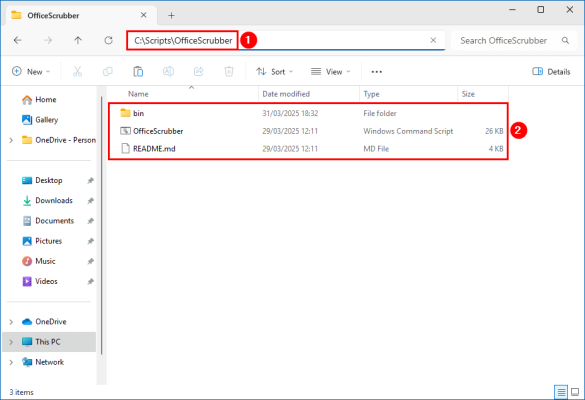
Follow the steps below to remove the Microsoft Office version on the system using the Office Scrubber:
Right-click OfficeScrubber.cmd and run it as administrator
The Office Scrubber utility detects and displays the installed Office version on your system. You can identify it using the wildcard {*} at the end. In this case, for example, Office C2R is installed. (Office C2R is a collective name for Office Click to Run such as Office 365, 2024 and 2021)
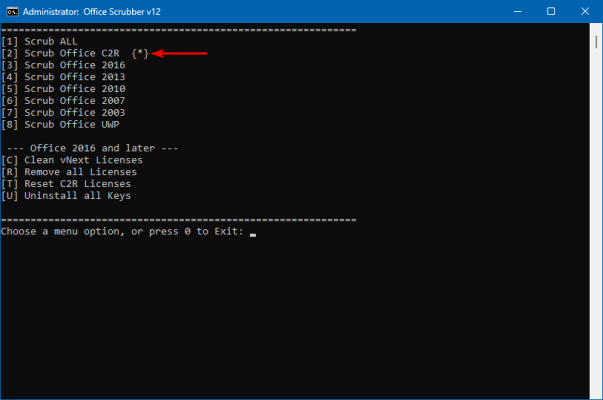
Choose the number to remove Office (in this example, number 2)
Microsoft Office and all licenses are removed from the machine.
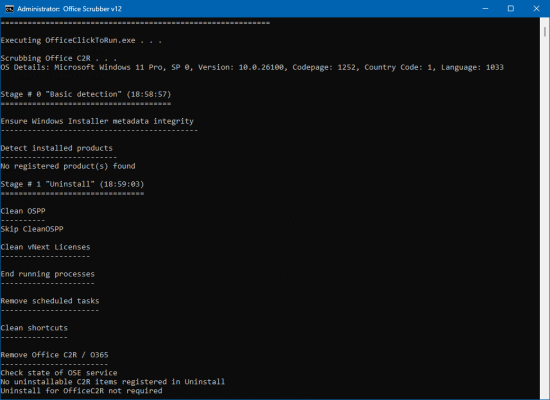
Restart your PC or laptop after this !
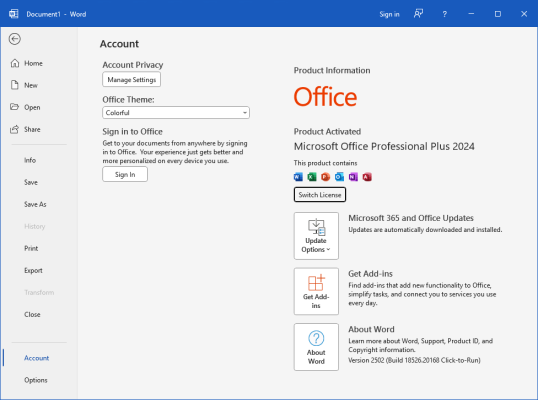
Check your work
Install a new copy of Microsoft Office on the system and activate it without worrying about leftovers that may cause problems.Open Word and click on file - account in the menu.
That's it!