
Microsoft 365 Family: The Complete Guide for Your Family in 2026
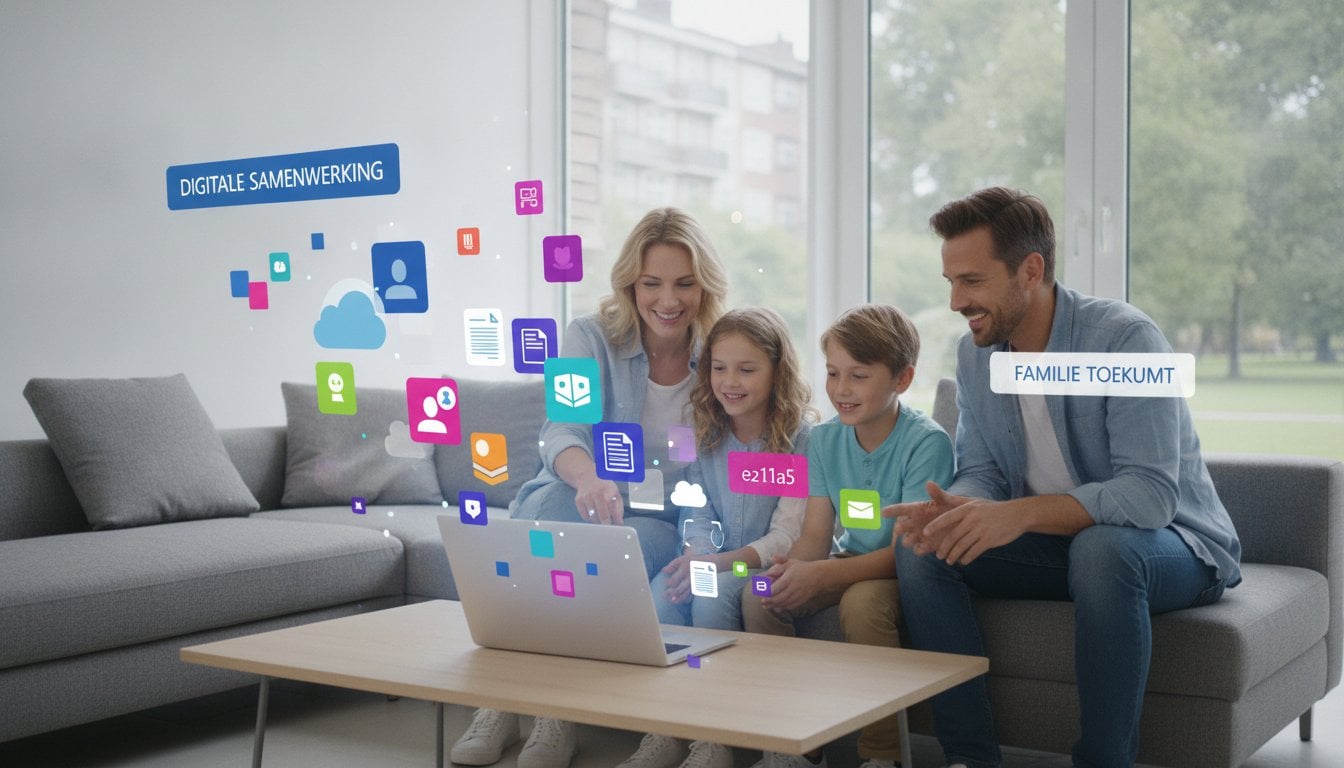
Do you pay the full price again every year at the Microsoft Store for your family subscription? That is completely unnecessary. You are certainly not the only one paying through the nose for recurring costs for software you simply need. It is frustrating to see your budget evaporate, while all you want is for your partner and children to work smoothly in Word, Excel, and PowerPoint. The confusion between Microsoft 365 Family and one-time packages often does not make the choice any easier.
In this guide, you will discover how you can use Microsoft 365 Family to let up to 6 people enjoy all Office apps and 6 TB of cloud storage at the sharpest price. We put an end to the confusion about license management and show you the way to a reliable solution. You will learn exactly how to provide your family with a secure license with activation guarantee. We dive into the benefits of the cloud, compare the costs, and ensure that you never overpay for your family's digital tools again.
Key Points
- Manage up to six users with one affordable subscription for the whole family.
- Benefit from 6 TB of cloud storage for all your photos and documents.
- Compare Microsoft 365 Family with Office 2024 and choose the most cost-effective option.
- Activate your license within 5 minutes thanks to our clear step-by-step guide.
- Enjoy 100% certainty with our unique activation guarantee on every legal license.
What is Microsoft 365 Family and why does your family need it?
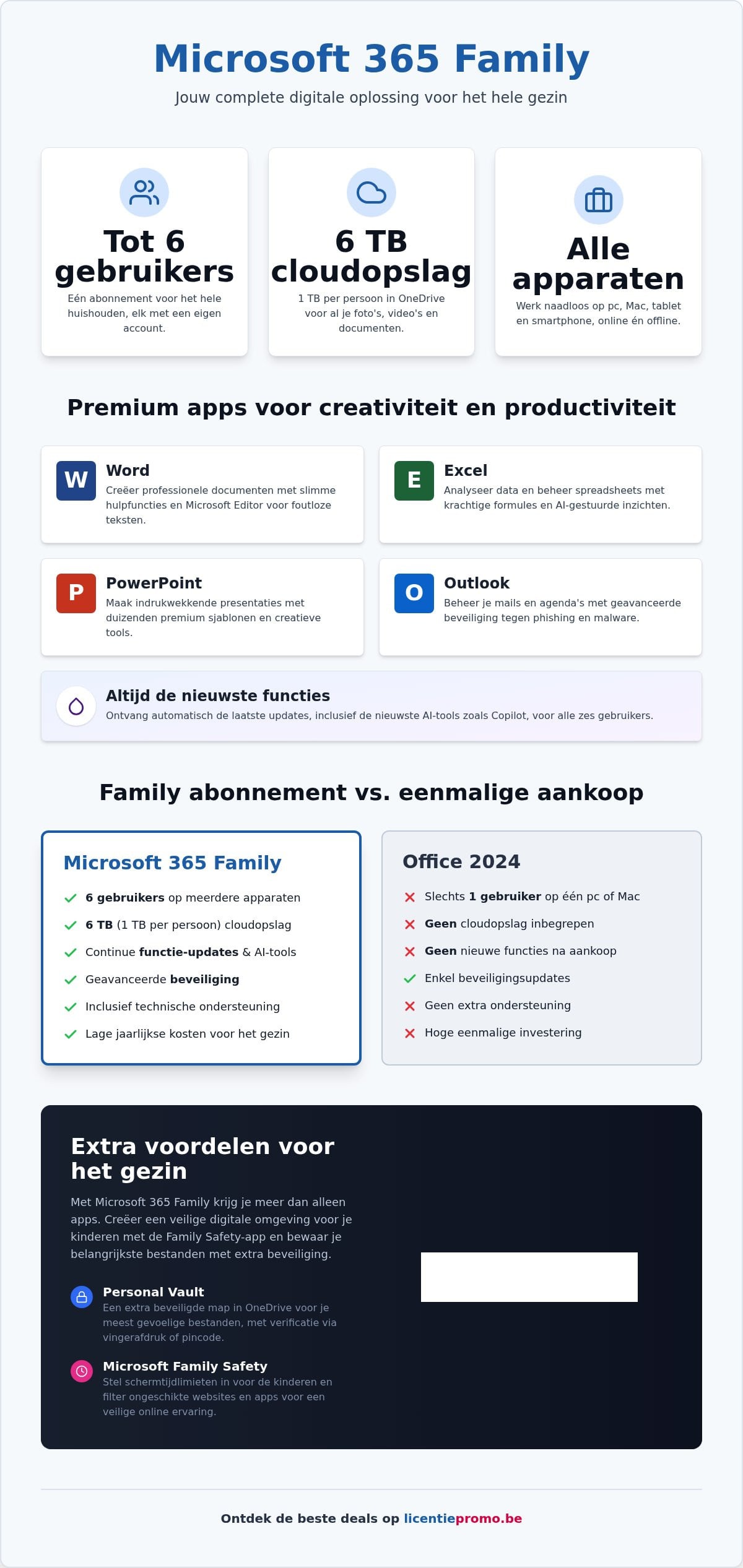
Looking for a smart way to digitally support your entire household? With What is Microsoft 365 family, you get an all-in-one package that goes beyond just word processing. The principle is simple. You buy one subscription and share it with up to five other family members. That means a total of six people can use the best software without limits. Each family member gets their own account. No hassle with shared passwords or privacy issues. Everyone works in their own secure environment.
Storage capacity is an absolute asset for Flemish families. You get a total of 6 TB of cloud storage in OneDrive. That is exactly 1 TB per person. It is more than enough space for all your photos, videos, and important documents. Whether you work on a PC, a Mac, an iPad, or an Android smartphone, your files are accessible everywhere. For students working on their thesis and remote workers managing complex spreadsheets, this flexibility is indispensable. You switch effortlessly between your laptop at your desk and your tablet on the couch.
The benefits of a shared family subscription
Save directly on your monthly costs by pooling your resources. Instead of paying for six separate licenses, you pay one sharp rate for the whole group. You easily manage all linked devices from one central Microsoft account. This provides clarity and peace of mind. For parents, the Microsoft Family Safety app is a great added value. Set screen time limits for the children or filter inappropriate websites. This way, you create a safe digital environment without constantly looking over their shoulder. Feel free to compare this with a Microsoft 365 Personal license, and you'll immediately see that the Family version is much more cost-effective for families.
Which apps are included in the Microsoft 365 Family package?
You get the full premium versions of Word, Excel, PowerPoint, and Outlook. These are not limited web versions, but the powerful programs that you install on your computer. In 2026, everything revolves around smart assistance. You have direct access to the latest AI updates and Copilot features. Let the computer help you write emails or analyze data in Excel. Use Microsoft Editor for error-free texts and choose from thousands of premium templates for your presentations. It is a complete creative station for everyone. From the youngest student preparing a presentation to the self-employed person updating their bookkeeping, everyone finds the right tools in this package.
The main features of a Microsoft 365 Family subscription
Stop manually installing updates. It eats up time and energy. With a Microsoft 365 Family subscription, you always have the most recent versions of all software. As soon as Microsoft launches an improvement, you have it directly on all your devices. This applies to all six users in your family. Security is no longer a side issue in 2026. You get robust protection against phishing and malware in Outlook and OneDrive. This is essential for families with children who sometimes click on a suspicious link more quickly. The built-in security blocks threats before they cause damage. Your documents and privacy remain perfectly protected.
Do you often work in places without Wi-Fi, like on the train or on vacation? No worries. You can simply open and edit your files offline on your laptop or tablet. As soon as you have an internet connection again, the system automatically syncs everything to the cloud. The massive 6 TB of storage space is a real game-changer for any household. It definitively puts an end to those annoying notifications about a full phone memory on your mobile. Every photo and video is immediately and securely stored in the cloud. For a deeper insight into the possibilities, we recommend you check out the Key features and benefits . It shows why this package is the standard for modern households.
Onedrive cloud storage for the whole family
The Personal Vault offers an extra layer of security for your most critical data. Store scans of ID documents or important insurance policies here. You only get access with an extra verification step, such as a fingerprint or PIN. Your smartphone photos are automatically backed up to the cloud. You will never lose images again, even if your device is damaged or stolen. Sharing files within the family is child's play. Forget those old USB sticks or slow email attachments. With one click, you share a holiday album or a large school project with the rest of the family. It works fast, simple, and extremely reliable.
Premium creative content and AI tools
In 2026, you no longer need expensive design software for your projects. You get access to a huge library of premium stock photos, icons, and videos. Use exclusive fonts to give your reports or invitations a unique look. Copilot takes your productivity to the next level. This smart AI assistant helps you write complex emails or structure a PowerPoint presentation. It saves you hours of brainwork. Your documents immediately look like they were made by a professional. Ready to experience these features yourself? You can directly buy your Microsoft 365 Family license and get started within 5 minutes.
Microsoft 365 Family versus Office 2024: what is the best choice?
Do you choose the freedom of a subscription or the certainty of ownership? It is the most important question for every Flemish family. With microsoft 365 family, you rent the software. You pay again every year for access. If you look at the total costs over a period of three years, you will see a clear pattern. The subscription costs add up. For a large family that uses all the extras, this often remains the best deal. Yet a one-time purchase such as office 2024 professional plus is sometimes much smarter. You pay a sharp amount once and the license is yours forever. No monthly debits. No surprises.
The fundamental difference lies in the relationship with Microsoft. With a subscription, you are a renter. Do you stop paying? Then you lose access to your apps and your extra cloud storage. With a one-time license, you are the owner. The software keeps working on your PC, year after year. For many users, the massive cloud storage of 365 is the decisive factor. If you really need that 6 TB of space for your photos and backups, the subscription is unbeatable. Do you already have that storage elsewhere or do you prefer to work locally? Then with a subscription you are essentially throwing money away.
When do you choose a subscription?
Choose Microsoft 365 Family if your family lives in the cloud. It is the right choice when you need more than 1 TB of storage space for all your family members. Also, if you always want to use the latest features and the most recent AI tools, this is your package. You are assured of constant updates without extra costs. Moreover, it is ideal for households with an extreme amount of hardware. You can activate the software on no fewer than 30 devices at the same time, spread across the six users. That gives enormous flexibility that you won't easily match with separate licenses.
The benefits of a one-time license without a subscription
Do you prefer clarity and one-time investments? Then a license without a subscription is your best friend. You will never have recurring monthly or annual costs again. This is ideal for users who have enough with the powerful basic features of Word and Excel and don't need constant feature changes. You buy a reliable product that simply does what it's supposed to do. Want to know exactly how this works? You can read more about buying Office 2024 Professional Plus as the perfect alternative for your family.
This is how you install and share your Microsoft 365 Family license
You have received your license code. Now you want to see results. Go directly to the official Microsoft activation page and log in with your own account. Enter the 25-digit code you received in your mailbox within 5 minutes of your purchase. Select your country and choose Dutch (Belgium). The installation will start automatically. Within moments, all premium apps will be ready on your PC or Mac. Do you have mobile devices? Download the Office app from the App Store or Play Store and log in. Your license will be recognized immediately. It's fast, simple, and hassle-free.
Sharing your Microsoft 365 Family subscription is also a piece of cake. Go to the 'Sharing' tab in your account settings. You can invite family members by entering their email address or by generating a unique link. The recipient clicks the link, signs in with their own Microsoft account, and immediately enjoys all the benefits. Even if a family member already has their own account, the linking process goes smoothly. The software recognizes the new status immediately.
Add family members to your subscription
Understand the difference between the family group and the shared license. The family group is for parental controls and safety through the Family Safety app. The shared license simply grants access to the software and the 1 TB of storage per person. Each family member may install the apps on an unlimited number of devices. The only limit is that they can be signed in on up to five devices at the same time. Privacy is guaranteed here. Your family members can never see your files in OneDrive. Everyone has their own protected vault and storage space.
Switching from personal to family
Upgrade your current subscription without worries. Do you still have months of credit on a Personal account? Microsoft automatically converts these remaining days to your new Family subscription as soon as you activate the new code. So you don't lose a cent of your earlier investment. The system calculates the new expiration date for you immediately. Does a code not work or do you see an error message during activation? Don't hesitate. Contact the LicentiePromo customer service for fast support and our unique activation guarantee. Buy your legal license today and immediately provide your entire family with the best software.
Buy Microsoft 365 Family at LicentiePromo: your advantage in Belgium
Stop overpaying for your software at the official store. Our Microsoft 365 family licenses are significantly cheaper. How is that possible? We purchase unused license volumes from large organizations. These are fully legal, legitimate codes that would otherwise remain unused. You benefit directly from this smart purchasing method. You get exactly the same product, including all updates and cloud storage, but at the sharpest price on the market. Support a local Belgian provider with expertise. We understand the needs of the Flemish consumer and offer support that goes beyond a standard helpdesk.
No desire for long waiting times or slow processes? We understand. Order today and your code will be in your mailbox within 5 minutes. This process is fully automated and works 24/7. So even on Sunday evening or during holidays, you can get started right away. We offer a unique activation guarantee on every purchase. That gives you 100% certainty that your code works immediately with Microsoft. If a technical problem does occur, we will resolve it immediately. No hassle, just results.
Buy safe and legal software
Our approach is transparent and fully complies with European legislation. The Court of Justice has confirmed that reselling unused software licenses is lawful. So you can buy an official product with peace of mind. Still a bit skeptical? That's healthy, but be sure to check out our customer reviews for the experiences of thousands of other Belgians. We hide nothing and stand behind the quality of our service. You receive a legitimate code that is linked to your own Microsoft account. Safety and legality are always our top priorities.
Your Microsoft 365 family license directly at home
No more physical installation media or packages getting lost in the mail. Everything is digital. You pay easily with trusted methods like Bancontact or credit card. As soon as payment is confirmed, you receive the license code and a clear guide by email. You don't need to be an expert to install the software. Our guide walks you through the process step by step. Want to save on your subscription costs right away? Discover all options in our license shop and arrange the best digital solution for your entire family today.
Choose the smartest digital solution for your family today
Choose certainty. Choose financial advantage. You now have all the information to make the right decision for your household. With Microsoft 365 Family, every family member gets the tools they need to excel every day. From 1 TB of personal cloud storage for all those precious family photos to the latest AI features in Word and Excel. It is the ultimate investment in the digital future of your children and yourself.
Why pay more than necessary at the official store? At LicentiePromo you get exactly the same software, but at the sharpest price in Belgium. Your license is delivered securely by email within 5 minutes. You also enjoy our 100% activation guarantee. Our expert Belgian support is always ready to help you if you have a question. Stop hesitating and choose the most efficient way.
buy your microsoft 365 family license with discount now
Start today and experience the power of a fully connected and productive family!
Frequently asked questions about Microsoft 365 Family
How many people can use Microsoft 365 Family?
In total, a maximum of six different people can use one Microsoft 365 Family subscription at the same time. This includes the main owner and five additional family members that you invite yourself via their own account. Each individual gets their own environment with personal settings and their own 1 TB of storage space in OneDrive. It is the most cost-effective solution for households with multiple users who all want to work on their own phone, tablet, and computer.
Is Microsoft 365 Family a one-time purchase?
No, this package is a subscription and not a one-time purchase. You pay annually for access to the apps and cloud features. Would you prefer a package without recurring costs? Then we recommend you look at Office 2024 Professional Plus. That is a classic license where you pay once and the software remains yours forever on your PC. The choice depends on your need for cloud storage and constant updates.
Can I share Microsoft 365 Family with someone outside my household?
Yes, you can technically share your subscription with anyone who has their own Microsoft account. You simply send a unique link or an email invitation to the desired person. Although Microsoft officially positions the package for families, there is currently no strict check on the home address of the various users. It is therefore a flexible way to let friends or family members outside your own home enjoy the premium apps and extra storage space.
What is the difference between Microsoft 365 Family and Personal?
The main difference lies in the number of users and the total storage space. The personal variant is for one person with 1 TB of storage. With Microsoft 365 Family, you can expand this to six people, each getting their own 1 TB, resulting in a total of 6 TB. Both versions allow each user to be signed in on five devices simultaneously. For families, the Family version is, per person, many times more cost-effective than six separate subscriptions.
How do I install Microsoft 365 Family on a Mac?
Installing on a Mac is very simple and fully digital. After your purchase at LicentiePromo, you log in to your Microsoft account and enter the license code you received. You will then immediately get the option to download the installation package for macOS. The apps are fully optimized for Apple hardware. You install the full versions of Word, Excel, and PowerPoint, so you can get started right away with all your documents on your Macbook or iMac.
Will my files be kept if I cancel my subscription?
If you cancel your subscription, your files will be temporarily kept in a read-only mode. You can open and download documents, but you can no longer edit them in the cloud. Your OneDrive storage will shrink back to the free limit of 5 GB. If you have stored more data, you must save these files locally on your computer within a transition period of 90 days. If you do not do this, you run the risk that excess data will be permanently deleted.
Do I receive an official invoice with my purchase?
Certainly, at LicentiePromo you will always receive an official VAT invoice with your order. This is important for self-employed individuals or families who want to keep their administration accurate. Immediately after the purchase, we send the invoice along with the activation code to your mailbox. You never have to wait for it. The invoice is immediately usable for your bookkeeping and contains all necessary company details of our Belgian company for a correct and fast processing of your administration.
Does the license code from the license promo also work for renewing an existing subscription?
Yes, our license codes are perfectly suitable for renewing a subscription you already have. You don't have to wait until your current term has expired. As soon as you activate the new code in your Microsoft account, 365 days will automatically be added to your existing expiration date. This works seamlessly and ensures that you never run out of access to your apps. It's the smartest way to save on your annual costs.