
Microsoft Office license for Mac purchase: the complete guide for a one-time purchase in 2026
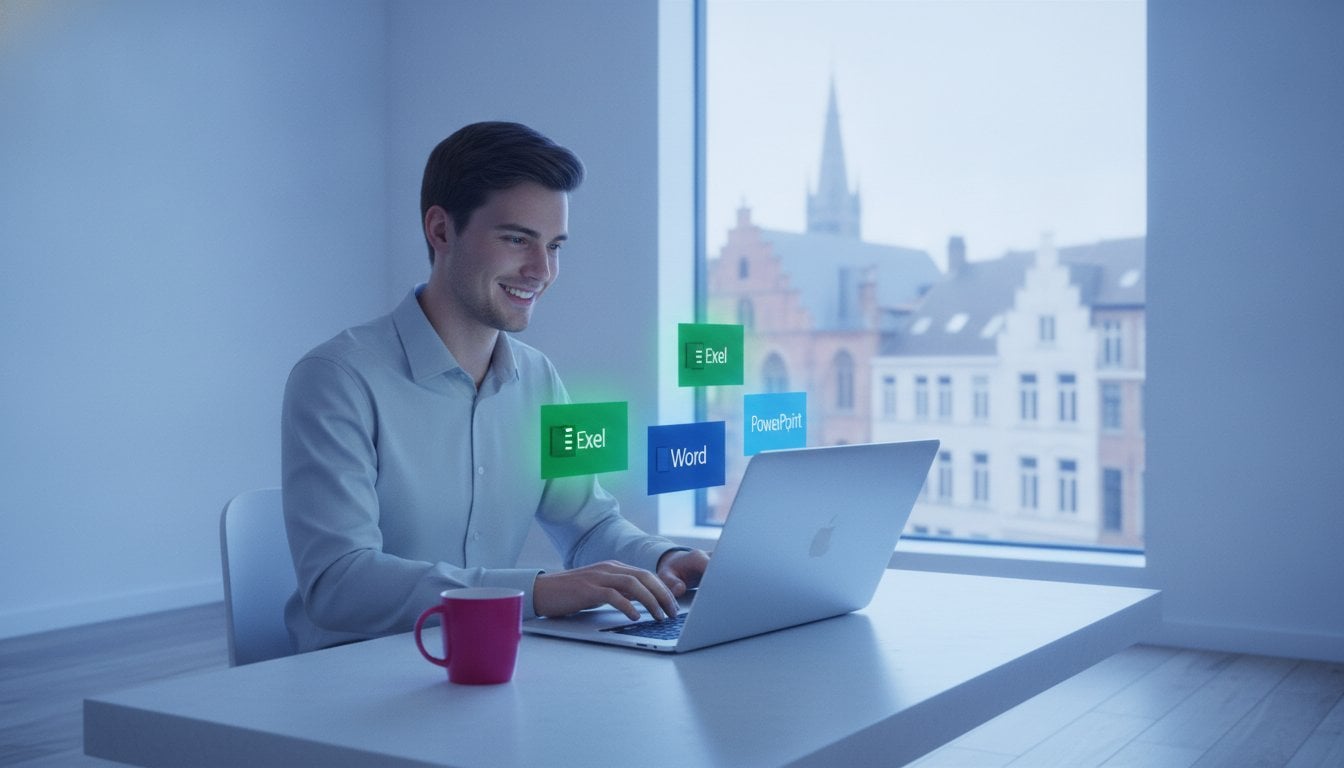
Stop throwing away money on monthly subscriptions for software you use every day. Many Mac users think they are forced to be locked into Microsoft 365, but that is an expensive misconception. With office thuis en zelfstandigen 2024 mac you get all the familiar programs such as Word, Excel and Outlook without those annoying recurring costs.
We understand your doubts. Does such’ a license actually work on the latest M1, M2, M3 or M4 chips? And how can you be sure that your activation code won't suddenly block after a month? In this guide you will discover how to legally and ultra‑cheaply purchase a Microsoft Office license for Mac that remains permanently activated. No hassle, no hidden costs, just a working package for a fraction of the price. We will explain exactly how to choose the right version and how to complete the installation within five minutes on your MacBook or iMac.
Key Points
- Save hundreds of euro’s by choosing a one‑time purchase with no monthly fees.
- Get complete assurance about compatibility with your MacBook or iMac with M1, M2, M3, or M4 chip.
- Discover how to buy 100% legal software in accordance with European regulations for the Belgian market.
- Install Office Home and Self‑Employed 2024 Mac lightning‑fast with our unique 5‑minute delivery by e‑mail.
- Enjoy hassle‑free activation thanks to our full guarantee on a permanently working license code.
What is a Microsoft Office license for Mac and why do you need it?
A Microsoft Office license for Mac is simply the digital key that gives you access to ‘s world’s most used productivity software. In the past you bought a physical box with an installation disc in the store. Today that process has become much more efficient. You purchase a digital license code that you immediately link to your own Microsoft account. For most users in Belgium, office thuis en zelfstandigen 2024 mac has become the absolute standard. With it you get the full desktop versions of Word, Excel, PowerPoint and Outlook at your disposal.
Why do Mac users still choose the official Microsoft apps instead of free alternatives? The answer is simple: compatibility and professionalism. Free word processors or spreadsheets often struggle with complex layouts or advanced formulas. Nothing is more frustrating than opening a client’s document and noticing that the entire formatting has shifted. With the native Office apps you always work in the same format as your colleague’s and business partners. You avoid errors and exude authority.
We are currently seeing a massive shift in the market. While Microsoft has heavily pushed the Microsoft 365 subscription in recent years, many users are now returning to a one‑time purchase. People are tired of “subscription fatigue”. They don’t want to see an amount deducted from their account every month for software they have been using for years. The 2024 version offers exactly that freedom: you buy the package once and it remains yours.
The benefits of a one‑time purchase for your Mac
The biggest advantage is financial peace of mind. You pay a one‑time sharp price and you are set for years. No monthly or yearly invoices that clutter your administration. This is the smartest choice for freelancers and students who want to keep their fixed costs strictly under control. Moreover, you don’t need a constant internet connection to edit your documents. Your software runs locally on your MacBook or iMac. You retain full control over your own files without mandatory cloud storage.
Why mac users are massively switching to license keys
The huge price saving is the main driver. In the officiële Microsoft Store you often pay full price, while through specialized providers you buy a legal, unused license for a fraction of that amount. It is exactly the same software, but at a fair price. Delivery is also lightning fast. You don’t have to wait for a courier. After your order of office thuis en zelfstandigen 2024 mac the code is in your mailbox within 5 minutes. You can therefore continue with your project immediately. These licenses are fully optimized for the unique features of macOS and work perfectly on the latest Apple M-chips.
The difference between Office 2024 for Mac and Microsoft 365
The choice between a one-time purchase and a subscription determines how much you will spend on your Mac in the coming years. With Microsoft 365 you pay a monthly or yearly fee. Stop paying? Then you immediately lose access to your software and your documents. With office thuis en zelfstandigen 2024 mac you buy the software één time and it is permanently yours. Over a period of three years you save hundreds of euros compared with the cheapest subscription.
In this package are the four main program’s for every user: Word, Excel, PowerPoint and Outlook. For most freelancers and home users in Belgium this is more than enough. You get exactly the same powerful features for word processing and data analysis as with the subscription version. The big difference lies in the extra’s that you often do not need. With 365 you pay for cloud storage and mobile features that you often already get for free or cheaper via Apple’s iCloud. Why would you pay twice for features that your Mac already offers by default?
A crucial point that many providers forget is compatibility with macOS. Microsoft follows the “last three versions” rule. This means that Office 2024 is officially supported on the three most recent versions of the operating system. Currently these are macOS Sequoia, macOS Sonoma and macOS Ventura. Do you have an older Mac? First check your system version before proceeding with a purchase. Regarding updates, a one‑time purchase also works well. You will receive all necessary security patches for years. You only miss the constant stream of new features that often make the interface unnecessarily complicated.
When should you choose a Microsoft 365 subscription?
A subscription is only worthwhile in specific scenario’s. Do you want to install Office on more than five different devices simultaneously? Or are you a user who is constantly on the move and needs extensive editing features on an iPad or iPhone? Then 365 offers advantages. The 1 TB cloud storage can also be handy if you don’t have another backup solution yet. For the average user, however, these extra’s do not outweigh the ongoing costs.
Why Office 2024 for Mac is the smartest choice for most Belgians
The majority of Flemish people look for stability and a low price. You don't want to wake up to a notice that your subscription rate has suddenly increased by 20%. With a license key you have that certainty. Your work environment remains constant and reliable. No buttons that suddenly move due to an automatic update you didn't want. It is a solid solution that works immediately after installation. Are you ready to take back control over your software costs? Check here Microsoft Office Home & Self-Employed 2024 for Windows and Mac and start today without a subscription.
How do you recognize a legal and safe Mac license in Belgium?
The market for software licenses can feel overwhelming for many Belgians. Yet the legal basis is crystal clear. Since a groundbreaking ruling by the European Court of Justice in 2012, the resale of software licenses is fully legal. A license is considered a property right. As soon as a company no longer uses a license, it may be resold to a new user. This is exactly why you pay only a fraction of the price with office thuis en zelfstandigen 2024 mac from us compared to the officiële Microsoft Store.
However, there is a crucial difference between legal unused licenses and illegal “crack” software. With a crack you bypass Microsoft’s security. This brings enormous risks’ for your Mac, such as malware or spyware that steals your personal files. A legal license code, on the other hand, is activated directly via the official Microsoft website. You download the software from the source, link the code to your own account and enjoy all official security updates without any risk.
For Belgian entrepreneurs and freelancers there is another important aspect: accounting. At LicentiePromo you always receive an official invoice with VAT mentioned. This is essential to correctly record your purchase as a business expense. Vague marketplaces often do not provide an invoice or work with codes not intended for the European market. Choose security and a provider that understands local regulations.
Checklist for a reliable software provider
How do you know if a webshop is reliable? Look beyond just the price. Check whether there are thousands of genuine reviews from customers in Belgium. We are proud of our rating of 4.8/5 based on more than 14,000 experiences. A good provider also offers a rock‑solid activation guarantee. If the code doesn’t work, you’ll get a new one immediately or your money back. Additionally, an accessible customer service is essential. If you get stuck during installation on your MacBook, you want immediate assistance from an expert who speaks Dutch.
The dangers of overly cheap keys on shady marketplaces
Sometimes you see licenses for a few euros on international auction sites. Don't fall for this. Often they are temporary codes from educational institutions or trial versions that are suddenly deactivated by Microsoft after three months. You then lose your money and your software stops working at the moment you have an important deadline. Moreover, you risk having your data linked to malicious networks. Want to learn how to stay safe? Read more about buying legal Microsoft software in belgië to avoid every pitfall when purchasing office thuis en zelfstandigen 2024 mac.
Installation of Office on your MacBook or iMac: a step-by-step guide
You received your license code in your mailbox within 5 minutes. Now it's time for the installation. The process is straightforward, but it requires the correct order to avoid error messages. Many users make the mistake of installing directly over an old trial version. Don't do that. Follow this step-by-step guide for a flawless start with office thuis en zelfstandigen 2024 mac.
- Step 1: Remove old remnants. Look in your ‘Applications’ folder. Are there still old versions of Word or Excel? Or a pre‑installed Microsoft 365 trial? Drag these to the trash. For a truly clean installation we recommend also clearing the library files. This prevents the new license from conflicting with old settings.
- Step 2: Link the code. Go to the officiële website setup.office.com. Log in with your personal Microsoft account. Enter your unique license code here. The software is now permanently linked to your account.
- Step 3: Download the installer. Once the code is accepted, the download button appears. You download a .pkg file directly from the Microsoft servers. This is the safest method.
- Step 4: Activation. Open the installer and follow the instructions. After installation, launch Word. Log in with the same Microsoft account as in step 2. Your package is now activated and ready for use.
Do you want to get started right away without hassle? Then buy your legal Microsoft Office Home & Self-Employed 2024 for Windows and Mac and receive your guide immediately in your mailbox.
Compatibility with Apple Silicon (M1, M2, M3 and M4 chips)
Do you have a brand‑new MacBook with an M3 or M4 chip? No worries. Office 2024 is fully ‘Universal’ built. This means the software runs natively on both Intel processors and the latest Apple Silicon chips. You don’t need Rosetta 2 for the basic functions. The performance is impressive. Programs such as Excel start almost instantly, even with heavy spreadsheets containing thousands of rows of data. This lets you get the most out of your hardware’s battery life and processing power.
Common installation errors on macOS and how to fix them
Do you get the message ‘license not found’ right after you have logged in? This is often due to an old cache in macOS. Microsoft provides the ‘License Removal Tool’ for this. This small utility clears all old license information from your Mac without touching your documents. Then you log in again and everything works perfectly. Are you planning to buy a new Mac in the future? No problem. You can simply transfer this office thuis en zelfstandigen 2024 mac license. Just log out on your old device and log in on your new MacBook. It’s an investment that moves with you.
Save on your Microsoft Office license for Mac at LicentiePromo
LicentiePromo is the number één choice for tens of thousands of Belgians who are fed up with expensive subscriptions. Why would you pay the full retail price when you can do it smarter? We offer exactly the same software, but at prices you won’t find anywhere else. Our unique 5‑minute delivery promise ensures you can get started on your projects immediately. No waiting times, no shipping costs and no hassle. You receive the code of office thuis en zelfstandigen 2024 mac simply in your mailbox and can start typing or calculating right away.
Do you need help during the process? Our customer service is ready for every Mac user. Whether you have a question about the installation on your new MacBook Pro or need assistance linking your account, we won't let you down. We understand the specific needs of the Belgian market. Therefore, you receive a clear invoice for your accounting with every order. Do you also have a PC or laptop running Windows besides your Mac? Then combine your purchase with a Windows 11 Pro license for your other devices. Thus your entire digital environment is set up professionally in één go.
Why wait for a sale when it's always cheap?
Forget waiting for discount promotions or sales. With us, prices are sharp all year round. Compare our rates with the standard retail prices in the big chains and you will immediately see the huge difference. You often save more than half off the regular price. More importantly: there are absolutely no hidden costs. You do not receive recurring invoices and we never store your data for automatic incasso’s. What you see is what you pay. Moreover, we offer a rock‑solid activation guarantee. We only rest when your software is 100% activated on your system. That is the assurance you get from a Belgian provider with a top score of 4.8/5 from more than 14,000 reviews.
Ready to increase your productivity?
Don't wait any longer and choose the smartest solution for your MacBook or iMac. You get all the power of the officiële Microsoft apps without the burden of a subscription. Are you also curious about the extensive possibilities for Windows devices or looking for a version for your desktop PC? Check out our comprehensive guide on office 2024 professional plus buying for a complete overview of the latest features. Join the thousands of satisfied customers who have already saved hundreds of euro’s on their software packages. Visit our shop, choose office thuis en zelfstandigen 2024 mac and experience for yourself how fast and easy buying legal software can be. Your Mac deserves the best tools for a fair price.
Start today saving on your Mac software
You now have all the tools at hand to make the right choice for your MacBook or iMac. A one‑time purchase of office thuis en zelfstandigen 2024 mac is simply the smartest finanëial decision for every Belgian user. You avoid those endless monthly costs and retain full control over your own software. Whether you are working on a MacBook Air with an M1 chip or the latest iMac with an M4 chip; the installation proceeds flawlessly and the performance is lightning‑fast.
With LicentiePromo you choose absolute certainty. With more than 14,000 positive reviews and a rating of 4.8/5 you know you have found a reliable partner. We guarantee direct delivery by e‑mail within 5 minutes. In addition we offer a rock‑solid money‑back guarantee for activation problems. You therefore take no risk and can start working on your projects immediately.
Buy your legal Microsoft Office 2024 license for Mac now at LicentiePromo!
Make the switch to a subscription-free life today and enjoy a professional work environment on your Mac. Good luck with your new software!
Frequently asked questions about Office for Mac
Is a Microsoft Office license for Mac a one-time purchase or do I have to pay every year?
This is a one‑time purchase. You pay één time the full amount and the software remains unlimited for you. Unlike Microsoft 365, you have with office thuis en zelfstandigen 2024 mac no monthly or yearly costs. You never have to worry about automatic incasso’s or sudden price increases of subscriptions.
Does the Office 2024 license work on the newest MacBook Pro with M4 chip?
Absolutely, the software is fully optimized for the latest Apple hardware. Whether you have a MacBook Pro with an M4 chip or an older model with an Intel processor, the installation proceeds flawlessly. The apps run natively on Apple Silicon. This provides maximum speed and longer battery life while you work on your documents.
Can I use the license for my business and will I receive an invoice?
Yes, this version is specifically intended for both private use and business purposes by self‑employed individuals. With LicentiePromo, you receive an official invoice with VAT details directly in your mailbox after each purchase. This is crucial for your Belgian accounting. This way you can fully claim the cost of your software license as a business expense.
What is the difference between the home use and the business version for Mac?
The version office thuis en zelfstandigen 2024 mac is the most complete variant for individual users. It includes, in addition to Word, Excel and PowerPoint, Outlook for your professional email traffic. Moreover, with this license you have the legal right to use the software commercially. Cheaper student versions often do not allow this.
Can I install Office on multiple Macs at the same time with a single code?
No, a license code is strictly tied to one device at a time. Want to use Office on both your iMac and your MacBook? Then you need a separate license for each device. However, you can transfer the license to a new Mac in the future. This is useful if you replace or sell your current device.
What happens if I format my MacBook or buy a new one?
You never lose your license. The code is linked to your personal Microsoft account. You can always re‑download and activate the software. When you get a new Mac, simply sign out on the old device and sign in on the new one. Your investment moves with you at no extra cost.
Do I always need to be connected to the internet to use Word or Excel?
No, you can work completely offline on all your files. An internet connection is only required during the initial activation of your license and for retrieving security updates. This makes it the ideal solution for users who are often on the go. You are not dependent on a stable Wi‑Fi connection.
Is the software also available in Dutch on the Mac?
Sure, you can install the software in any language you want, including Dutch. During installation via the official Microsoft servers you simply choose your preferred language. The spell checker and the interface also adjust immediately. This way you can correspond flawlessly with your Belgian customers and business partners.