Original price was: €899,00.€29,99Current price is: €29.99.
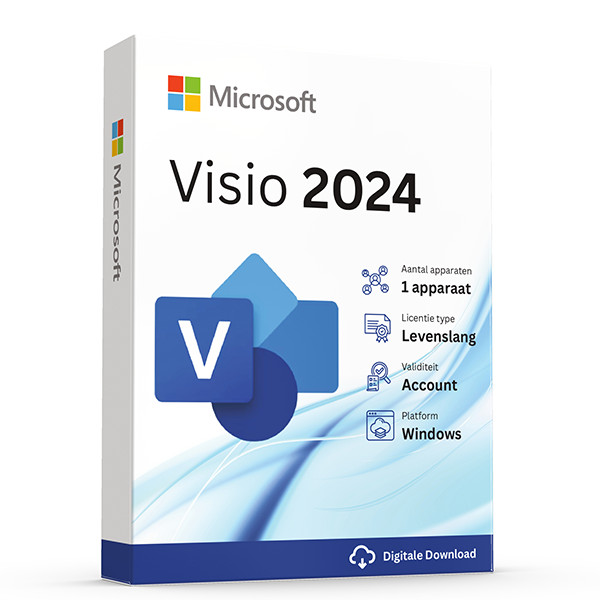
Buy Microsoft Visio Professional 2024 now for your PC. After your payment you will immediately receive the activation code on your screen and in your mailbox together with the Microsoft download link and manual. This is a lifetime one‑time activation for 1 PC with 1 installation. No monthly subscription!
Available in Dutch, English, French and other languages.
Attention! This version does not work on macOS but only on Windows PC or laptop with Windows 10 or Windows 11 (Home or Pro)
Take advantage now! Prices will rise again after this promotion ends.
100% activation guarantee
If activation does not work, money back!
Directly delivered
The license key will arrive in your mailbox shortly!
Lowest price
Always the lowest price guarantee!
Microsoft Visio Professional 2024
The extensive features of Microsoft Visio Professional 2024
Effortlessly create diagrams
- Versatile templates and countless choices from thousands of shapes: transform your ideas and data into a compelling story using numerous templates.
- Support for industry standards: you can now use the extensive library of Visio shapes for content that complies with industry standards, including UML 2.5, BPMN 2.0 and SDL.
- Built-in validation: ensure that all your BPMN and workflow diagrams contain all elements by running Visio's validation engine.
- Familiar experience: now build your diagrams even more efficiently by using one of the many options such as drag and drop or aligning and positioning. You can also make your diagram look even more professional with the pre-made themes’s and effects.
Seamless collaboration and easy sharing of your diagrams
- Concurrent collaboration with a team: now even easier to work together to make your diagram a single cohesive whole. Prevent version conflicts and collaborate to maintain the correct version. Easily see who has worked on which component, stay up‑to‑date on change progress by enabling notifications, and choose when to apply these notifications to the main file.
- Add comments in Visio: Share and add different views to your file by adding comments and possibly being able to reply to them. In the new Microsoft Visio Professional 2024, these comments can also be linked to a specific diagram element to avoid confusion.
- Realtime presence indicators: With Skype for Business in Visio you can now easily see who in your team is available with live presence indicators. This allows you, for example, to quickly start a chat, voice, or video conference in the app.
Link diagrams to real-time data for faster decision making
- Easily link your data: Uncover new insights and simplify a mountain of complex information by linking your Visio shapes and diagrams to data from, for example, internal sources, as well as external sources.*
- Access your data charts everywhere: Now view your linked charts from almost any location using your favorite browser.
- Reverse engineering of databases: With DBRE, Database Reverse Engineering, you can now easily create a custom database model from an existing database.
- Organograms linked to your data: Save time and reduce error rates by automatically generating organograms from your sources such as Excel or Exchange.
- Visio supports multiple data sources, including Microsoft Excel workbooks, Microsoft Access databases, Microsoft SharePoint Foundation lists, Microsoft SQL Server databases, Microsoft Exchange Server directory’s, Azure Active Directory information and other OLEDB or ODBC data sources
Optimal complement to Microsoft Office 2024 Professional and Professional Plus!
Visio Professional 2024 integrates seamlessly with Microsoft Office 2024 Professional and Microsoft Office 2024 Professional Plus. By linking Visio with Word, Excel and PowerPoint you can insert diagrams directly into documents, presentations or tables and update them at any time. Users of the Professional Plus version also benefit from extensive collaboration features, which especially provide valuable support on large projects.
- With Microsoft Office 2024 Professional: Ideal for companies that rely on powerful Office applications such as Word, Excel, PowerPoint and Outlook.
- Extended with Office 2024 Professional Plus: For organizations that need additional collaboration and management features in Skype for Business and Access.
What’s new compared to version 2021?
Visio 2024 makes it easier than ever for individuals and teams to create and share professional, versatile diagrams that simplify complex information. Visio 2024 includes updated shapes, templates, and styles; a brand‑new search bar to make your experience easier and an updated look that aligns Visio with your favorite Office apps.
If you upgrade to Visio 2024 from Visio 2021, you still have all the features you are used to and you will also see a few new features.
Even more shapes, stencils, and templates
Visio 2024 includes even more shapes, stencils, and templates to help you create diagrams. Visio Standard 2024 now includes many new icons, sticky notes for brainstorming, and an abundance of infographics such as icons and To-Do lists, just to name a few. Visio Professional 2024 includes all the added content from Standard and features more than 10 new Azure stencils and additional network and software content, such as Kubernetes shapes and Yourdon-Coad notations.
A sleeker new look
Visio 2024 has an updated look with a modern transparency effect applied to the fishbowl behind the canvas and menu’s. This gives Visio a more modern and sleek appearance.
New Office 2024 Theme
Office 2024 has a new theme and color palette. Visio 2024 also introduces these changes, which means a consistent look with the other Office applications. With more vibrant shades, the new theme embodies Microsoft's commitment to accessibility.
New search
Search in Visio is now available in the title bar, making it more accessible while you use it just like other Office apps. Fluent Design principles apply to provide an intuitive, familiar experience across all your applications.
Other products with good reviews
Other Software