
5 features of Windows 11 that transform your daily workflow
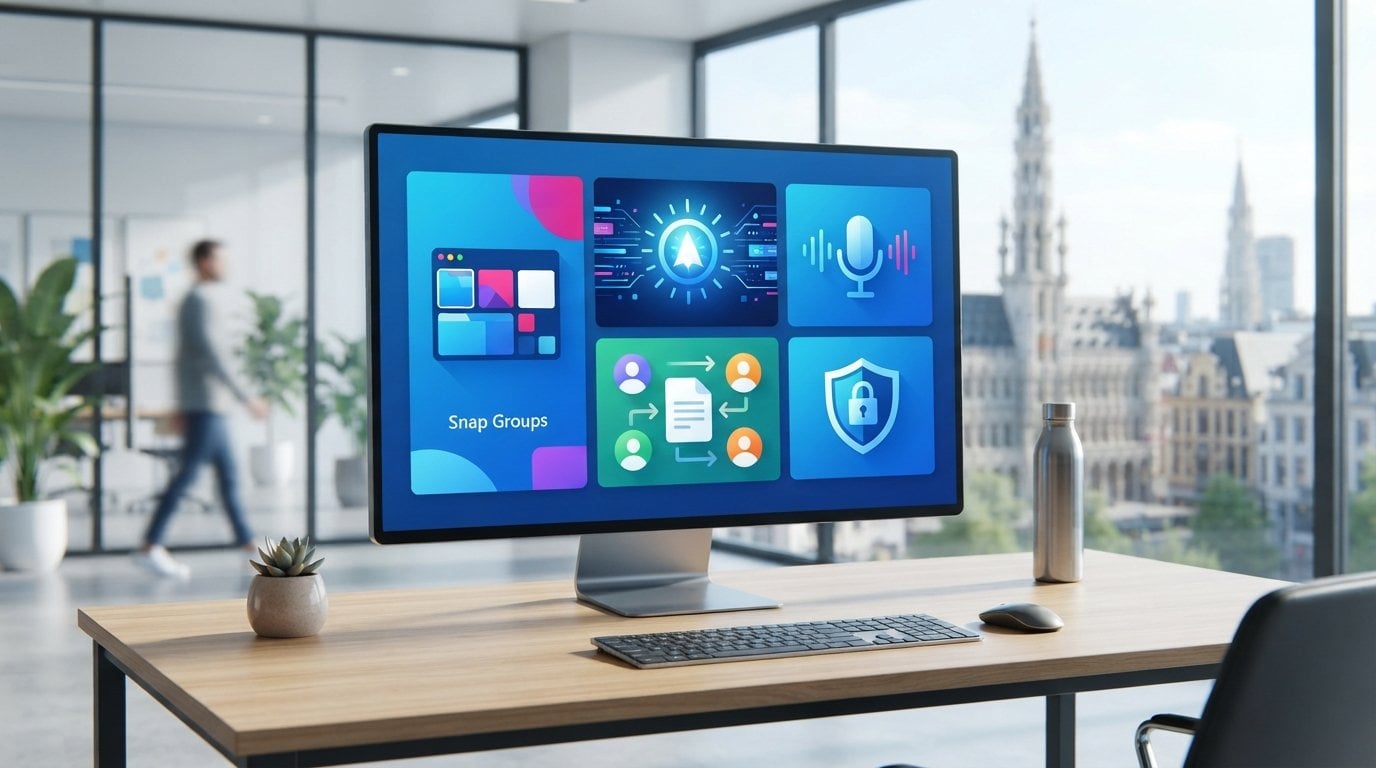
Windows 11 is not a superficial cosmetic update, but a targeted turbo engine for your PC. Still doubting whether an upgrade from Windows 10 is worth the effort? The most powerful 5 features of Windows 11 immediately prove the opposite. You probably recognize it: a jumble of open windows, slight confusion about renewed menu settings, and the fear that strict system requirements will slow you down. Especially now that free support for Windows 10 has definitively ended, you don't want to run security risks or lose precious time with inefficient multitasking.
We completely understand that concern. That is why we show you exactly how to take back control. Discover the 5 most powerful features of Windows 11 that immediately boost your productivity and optimally protect your PC! In this article you will discover how practical tools such as clear Snap Groups, fast AI integration and built-in protection via Secure Boot effortlessly transform your daily workflow.
Key Points
- Discover how the crucial 5 features of windows 11 streamline your screen layout with handy Snap Groups and clear tabs.
- Experience how practical AI integration and voice-driven typing help you complete texts and emails significantly faster.
- Understand why built-in security via Secure Boot and firewall and network protection reliably protects your files without slowing down your PC.
- Save significantly on ongoing subscription costs by choosing a permanent, one-time activation of your operating system.
- Discover how to successfully complete the activation process within minutes using an official license code via the default settings.
Why switching to Windows 11 in 2026 pays off
Staying stuck on an outdated operating system is a real risk today. Since official support for Windows 10 definitively ended on October 14, 2025, that software no longer receives free security updates. Anyone who works from home daily or runs a self-employed business needs stability, speed, and guaranteed protection. Losing time due to frozen screens or malware is something you can do without. A smooth switch to a reliable Windows 11 Pro License immediately brings peace of mind to your workplace.
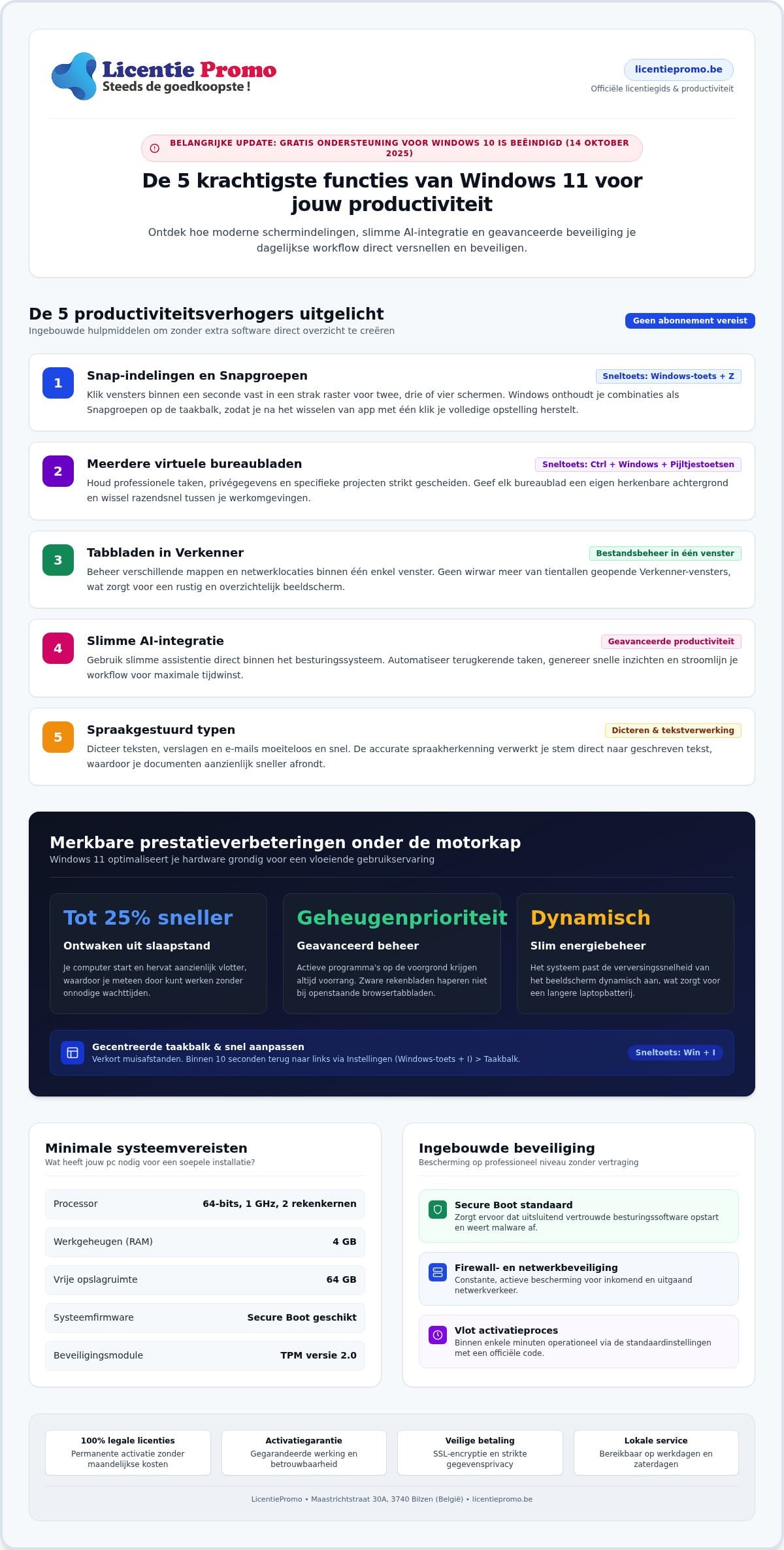
However, many users fear that their current computer is unsuitable. Fortunately, the minimum system requirements are quite reasonable for common devices. You only need a compatible 64-bit processor with 1 GHz and 2 cores, 4 GB of RAM, 64 GB of free storage space, Secure Boot, and an active TPM 2.0 chip. Does your PC meet these requirements? Then with the 5 features of Windows 11, you immediately bring a giant leap in daily productivity into your home.
Anyone considering definitively switching to Windows 11immediately notices that the renewed environment brings calm. No more loud Live Tiles, but a sleek cockpit that focuses your attention on what really matters.
The modern Start menu and the centered taskbar
The centered taskbar shortens the distance your mouse pointer travels every day. You open your most important work documents and favorite software via the floating start menu with one click. Still attached to the classic left corner? Then adjust it effortlessly:
- Press the shortcut Windows key + I to open Settings.
- Navigate to Personal settings and click on Taskbar.
- Under Taskbar behavior , choose left alignment.
Within ten seconds you have your familiar layout back, but with the modern visual clarity of today.
Performance improvements and energy management
Under the hood, Windows 11 responds noticeably more alertly. Thanks to advanced memory management, active programs in the foreground always get priority over background processes. Heavy spreadsheets no longer stutter when you have browser tabs open at the same time. Moreover, your computer wakes from sleep up to 25% faster.
For mobile workers and students, the revamped power management offers a tangible benefit. The system dynamically adjusts your screen's refresh rate, so your laptop battery lasts significantly longer during meetings. Together with the other 5 features of Windows 11, this ensures a working environment that perfectly keeps up with your pace.
The 5 features of Windows 11 that boost your productivity
No more overcrowded screens and scattered windows. Windows 11 includes powerful built-in tools that immediately streamline your workday. You don't need to install heavy extra software or obscure plug-ins; everything is ready right in the system. The core of this progress revolves around five pillars: Snap layouts, virtual desktops, tabs in File Explorer, Smart AI integration and voice typing. This selection deliberately focuses on maximum time savings and deep concentration. Want to get started right away with all business options without worries? Explore a cost-effective Windows 11 Pro license code for access to advanced management features!
Below you will discover how the first productivity tools from this selection of 5 features of Windows 11 immediately speed up your daily routine.
Snap layouts and Snap groups for smart window arrangement
Manually dragging and resizing windows takes up a lot of time unnoticed. With Snap layouts you pin windows into a tight grid within a second. Move your mouse over the maximize button at the top right or press Windows key + Z. Choose your ideal layout for two, three or four screens at once.
In addition, Windows remembers your combinations as Snap Groups on the taskbar. Switch briefly to Outlook and then want to return to your spreadsheet and browser? One click on the group brings the complete work overview directly back into position.
Multiple virtual desktops for work and private use
Would you rather not mix your professional tasks with private data or different projects? Then create separate virtual desktops via the Task View button on your taskbar. Give each desktop its own name and a recognizable background, so you can immediately see which work environment you are active in.
You can switch between your projects in no time with the key combination Ctrl + Windows key + arrow left or right. This keeps your concentration optimal and avoids cluttered screens.
Tabs in File Explorer and advanced notes
The familiar File Explorer now runs just as smoothly as your internet browser. Open multiple folders within a single window thanks to tabs and easily drag files from one tab to another. This saves clicks and keeps your taskbar organized.
Notepad also received a much-needed upgrade. Thanks to automatic saving and multiple tabs, you'll never lose a quick note or phone memo again. It's precisely these thoughtful details within the 5 features of Windows 11 that make every workday considerably more pleasant!
Smart AI integration and voice support in practice
Artificial intelligence doesn't have to be complicated theory. In Windows 11 , AI integration is seamlessly woven into the programs you already use every day. No expensive monthly subscriptions or vague platforms; you start right from your desktop. These smart features help you quickly summarize texts, compose emails, or automate repetitive tasks. Independent tests confirm that these innovations boost your daily productivity without making your PC feel sluggish.
Together with advanced speech technology, these tools form an indispensable link within the 5 features of Windows 11. You save precious minutes every day by letting your computer type and read for you!
Capturing text and images with the Snipping Tool
The Snipping Tool has evolved into a full-fledged productivity partner. Taking a screenshot of an invoice, table or presentation? Thanks to built-in optical character recognition (OCR), you simply click on Text actions to copy all letters instantly. Manual retyping is now a thing of the past.
Additionally, you shield privacy-sensitive data at lightning speed. With one press of a button, the software automatically blacks out phone numbers and email addresses before you forward the file. Need to give a colleague instructions? Then immediately record your screen, including crystal-clear sound from your microphone.
Voice-driven typing and accessibility
Typing with your fingers rarely matches your normal speaking pace. Press Windows key + H and simply start talking. Windows 11 recognizes Dutch flawlessly and, thanks to smart recognition, automatically places commas, periods, and question marks in the right spot. This way you can effortlessly dictate long reports or replies while keeping your hands free.
Watching videos or online meetings in another language? Then activate Live Captions via Windows key + Ctrl + L. You will immediately see real-time transcriptions on your screen. Such practical features prove why the 5 features of Windows 11 are a direct added value for every freelancer and remote worker.
Built-in security and optimal collaboration with Office
Security should never slow down your workflow. Where older Windows systems often required extra antivirus software that made your computer sluggish, Windows 11 takes a fundamentally different approach. The protection is deeply anchored in the hardware. Thanks to the mandatory combination of Secure Boot and the TPM 2.0 security chip, the platform blocks advanced malware even before the operating system fully starts. No slowing scans during a busy workday; your PC stays fast and alert.
In addition, the built-in Firewall and network protection manages all incoming and outgoing data traffic in the background. Together with the earlier productivity tools, this protection forms the backbone of the 5 features of Windows 11. Connect your system to a legal Microsoft Office license for professional reports!
Hardware-based protection against cyber threats
Microsoft's strict security requirements initially drew criticism, but in practice they prove to be enormously useful. Secure Boot checks every boot code for valid digital signatures, so rootkits have no chance to nestle into the BIOS. Are you using a Pro version? Then BitLocker encrypts your hard drive entirely. If your laptop gets lost on the go, customer data and invoices remain unreadable to unauthorized persons.
Logging in is now faster than ever via Windows Hello. With a compatible infrared camera or fingerprint reader, you unlock your desktop in a fraction of a second, without having to remember error-prone passwords.
Maximum speed in combination with Office 2024
A stable operating system truly comes into its own when your trusted office programs run smoothly. In Windows 11 , Word, Excel and PowerPoint communicate directly with the operating system via an optimized 64-bit architecture. Large spreadsheets with complex formulas calculate instantly without stuttering, while you simultaneously edit a heavy presentation.
Moreover, your work synchronizes seamlessly between your local storage and the cloud, so you no longer have to fear sudden data loss. Are you still looking for reliable office software without sky-high costs? Consult our guide on cheapest legal software in Belgium for smart purchasing tips!
Would you like to experience this powerful synergy yourself? Purchase your software licenses today at a great price and transform your workplace within minutes!
Upgrade your PC and activate immediately without a subscription
Choose financial peace of mind and avoid endless monthly costs. Why commit to an ongoing subscription when you can simply purchase your operating system once? A permanent license code gives you lifetime access to all official Microsoft updates and security patches. This way, you can effortlessly enjoy the 5 features of Windows 11 without ever receiving a monthly bill for your operating system. That results in significant savings for your household or business!
The activation process is remarkably simple and requires no technical knowledge. Within a few minutes, your PC is fully activated and ready for intensive use.
Simple step-by-step plan for entering your product key
Follow these clear steps to set up your license directly via the official Windows interface:
- Press the shortcut Windows key + I to open the Settings window.
- Click on System in the menu on the left and then select the Activation option.
- Look for the line Change product key and click the button Change.
- Enter the official 25-digit license key that you received by email.
- Click Next and confirm with Activate.
Your screen immediately confirms that your Windows version is legally and permanently activated. From that moment on, you can enjoy all performance benefits and security features without limits.
Why choose LicentiePromo in Belgium?
LicentiePromo has been the trusted reference for Belgian consumers and self-employed professionals for more than 4 years. No hassle with physical mail packages or long waiting times: you receive your original license code within 5 minutes by email in your digital order confirmation. Thanks to our 100% activation guarantee, you also run no risk whatsoever. Should you still have a question during the process, our customer service is ready to help with expert advice.
Want to get your computer ready for the future today and make the most of the powerful 5 features of Windows 11? Explore all the options in our full license store for the sharpest software deals!
Ready to take your productivity to the highest level?
A slow computer and a cluttered screen cost you loads of energy every day. The 5 features of Windows 11 discussed prove that a modern working environment doesn't have to be complex. Thanks to smart Snap Groups, direct AI integration and watertight hardware security, you work faster, more organized and more securely than ever before. Especially now that older operating systems no longer receive updates, this is the moment to take the step.
At LicentiePromo you choose absolute certainty without expensive monthly subscription costs. Your official license code is delivered within 5 minutes by email, including our 100% activation guarantee with money-back guarantee. More than 14,000 satisfied customers in Belgium have gone before you and benefited from a flawless transition.
Upgrade your PC now with a 100% legal Windows 11 Pro license! That way you transform your workflow today and enjoy a lightning-fast operating system without worries.
Frequently Asked Questions about Windows 11
What are the top 5 features of Windows 11 for daily work?
The top 5 features of Windows 11 for daily efficiency are Snap Groups for window layout, tabs in File Explorer, multiple virtual desktops, smart AI integration via Snipping Tool, and voice typing. This selection helps you maintain screen overview and speed up repetitive tasks directly without extra software. This way you work through your daily to-do list much faster.
Can my current computer run smoothly on Windows 11?
Virtually any common PC from recent years runs Windows 11 effortlessly. Your computer needs at least a compatible 64-bit processor with 1 GHz and 2 cores, 4 GB of RAM and 64 GB of storage space. In addition, support for Secure Boot and an active TPM 2.0 security chip is required. Microsoft offers a free status check for this, so you can be certain within seconds.
What is the difference between Windows 11 Home and Windows 11 Pro?
Windows 11 Pro offers advanced security and management features that are missing in the Home version. These include BitLocker drive encryption to protect sensitive business and customer data, Hyper-V for virtual machines, and remote desktop connections. For freelancers, remote workers, and demanding users, the Pro version is therefore the safest and most complete choice for daily professional use.
Do I have to pay a monthly subscription to use Windows 11?
No, for Windows 11 you do not pay a periodic subscription. Unlike services such as Microsoft 365, you purchase a license code once. After activation, the operating system is valid for life on your device and you receive all official updates free of charge. This way you avoid recurring monthly costs and retain full financial control over your equipment.
How do I activate my new Windows 11 license code after purchase?
You simply activate your code via your PC's standard settings. Press the Windows key + I, click on System and navigate to Activation. Then choose ‘Change product key’ and enter the 25-digit license code that you will receive by email within five minutes. Click confirm and the system is immediately permanently operational. No complicated procedures, but immediate results!
Is a cheap license code from LicentiePromo completely legal?
Yes, all licenses from LicentiePromo are 100% legal and authentic. We make use of unused overstock and surplus corporate inventories within European regulations. This allows you to benefit from competitive rates with full lifetime validity and activation guarantee. For more than 14 years, over 14,000 satisfied customers in Belgium have relied daily on our reliable digital delivery and expert support.
Will my files and installed programs be preserved after the upgrade?
Yes, with a standard upgrade from Windows 10, all your personal files, photos, and installed programs are simply retained. The installation process automatically transfers your data to the new environment. This way, you can immediately discover the powerful 5 features of Windows 11 without time-consuming reinstallations. Of course, for all safety, we always recommend making a recent backup beforehand.