Original price was: €145,00.€19,99Current price is: €19.99.
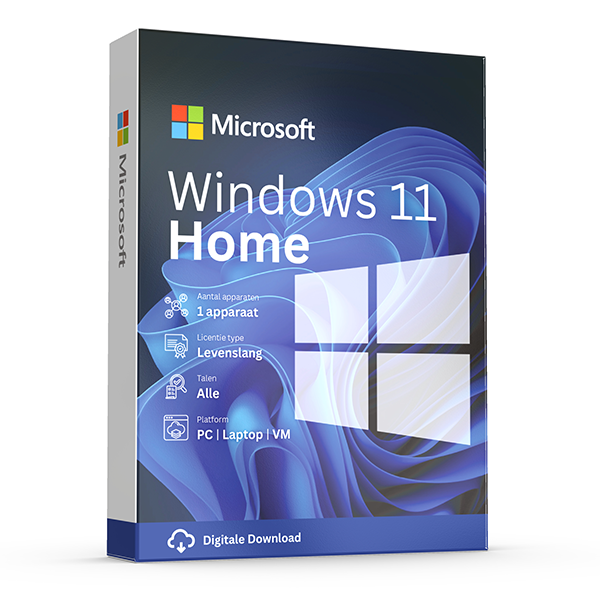
Buy now Windows 11 Home and enjoy everything you need in one powerful system.
You will receive all the information to install the package. Additionally, you are guaranteed the latest updates and it is possible to use the package for a lifetime (no subscription).
After ordering you will receive the activation code, manual and download link. This product can be installed on 1 PC/laptop and you can reinstall it on the same device if necessary.
The product can be installed in various languages, including Dutch, English, German, or French.
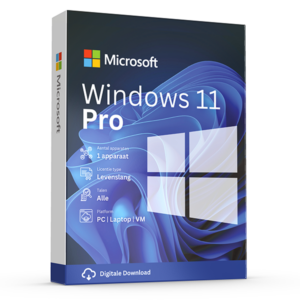
Windows 11 Pro you can find it here: Microsoft Windows 11 Pro ‗ Now €24.99, no subscription (licentiepromo.be)
Take advantage now! Prices will rise again after this promotion ends.
100% activation guarantee
If activation does not work, money back!
Directly delivered
The license key will arrive in your mailbox shortly!
Lowest price
Always the lowest price guarantee!
Windows 11 Home is the classic version of Windows 11. It includes everything you need in one powerful system.
Enjoy the new, refreshed Start menu in Windows 11 Home and other new ways to start your PC. Connect with your favorite people via Teams, receive news updates, play games and get verified content with Microsoft Edge. Windows 11 Home is the place to think, express, and create professionally.
These are the standout features of Windows 11 Home:
Other notable features of Windows 11 Home are:
Set up with a local account
Windows Sandbox
BitLocker device encryption
Windows information protection
Mobile device management (MDM)
Group Policy
Assigned access
Dynamic provisioning
System requirements
- Secure Boot
Secure Boot is a component of the UEFI standard and prevents your PC from booting with unsigned drivers and bootloaders. For example, this prevents the installation of a rootkit that would remain active even after a reinstall of the OS. Microsoft has supported Secure Boot since Windows 8, and Linux distributions such as OpenSUSE, Debian, and Ubuntu also support it.
TPM
Support for TPM 2.0 is required for Windows 11. - Processor support
AMD processors with Zen+ or newer (Ryzen 2000 and up) and Intel processors with Coffee Lake or newer (Core 8000 and up) - System memory
For Windows 11 you need 4GB or more of RAM. - System drive
Windows 11 requires a storage medium of at least 64GB. - Number of cores
Windows 11 requires at least a processor with two cores. - Clock speed
A processor with a clock speed of 1GHz or higher is required to run Windows 11.
To install Windows 10 Home, you have two main options: perform an upgrade from an earlier version of Windows or do a clean installation. Both methods are described below:
1. Upgrade to Windows 11 Home
Follow these steps to upgrade:
- Download your upgrade: Go to the Windows 11 download page from Microsoft and click on “Upgrade now” to start the upgrade process.
- Use the Media Creation Tool: Alternatively, you can download and run the Media Creation Tool. With this tool you can perform an upgrade or create installation media (USB stick or DVD).
- Follow the instructions: Start the upgrade process and follow the instructions on the screen. Make sure you back up important files before you begin.
2. Clean installation of Windows 11 Home
A clean installation wipes your hard drive and installs a new version of Windows 11 Home. This is a good option if you have a new system without an OS or if you want a full reset without old files or settings.
- Download the Media Creation Tool: Go to Microsoft's Windows 11 download page and download the Media Creation Tool.
- Create installation media: Start the Media Creation Tool and choose to create installation media (USB stick or DVD) for another PC. Follow the instructions to complete the process.
- Change the boot order: Make sure your PC is set to boot from USB or DVD. You can adjust this in the BIOS/UEFI.
- Start the installation: Connect the USB stick or insert the DVD and restart your PC. Follow the on-screen instructions to install Windows 11. You may need to productcode enter, depending on your license.
- Install drivers and updates: After the installation, check Windows Update for the latest updates and install the required drivers.
Regardless of the method, make sure you have a valid license for Windows 11 Home . It is also important to back up your data before you start upgrading or performing a clean installation.
Other products with good reviews
Microsoft Windows
Microsoft Windows
Microsoft Windows
Other Software