
Windows 11 Pro vs Home: which version best suits your needs?
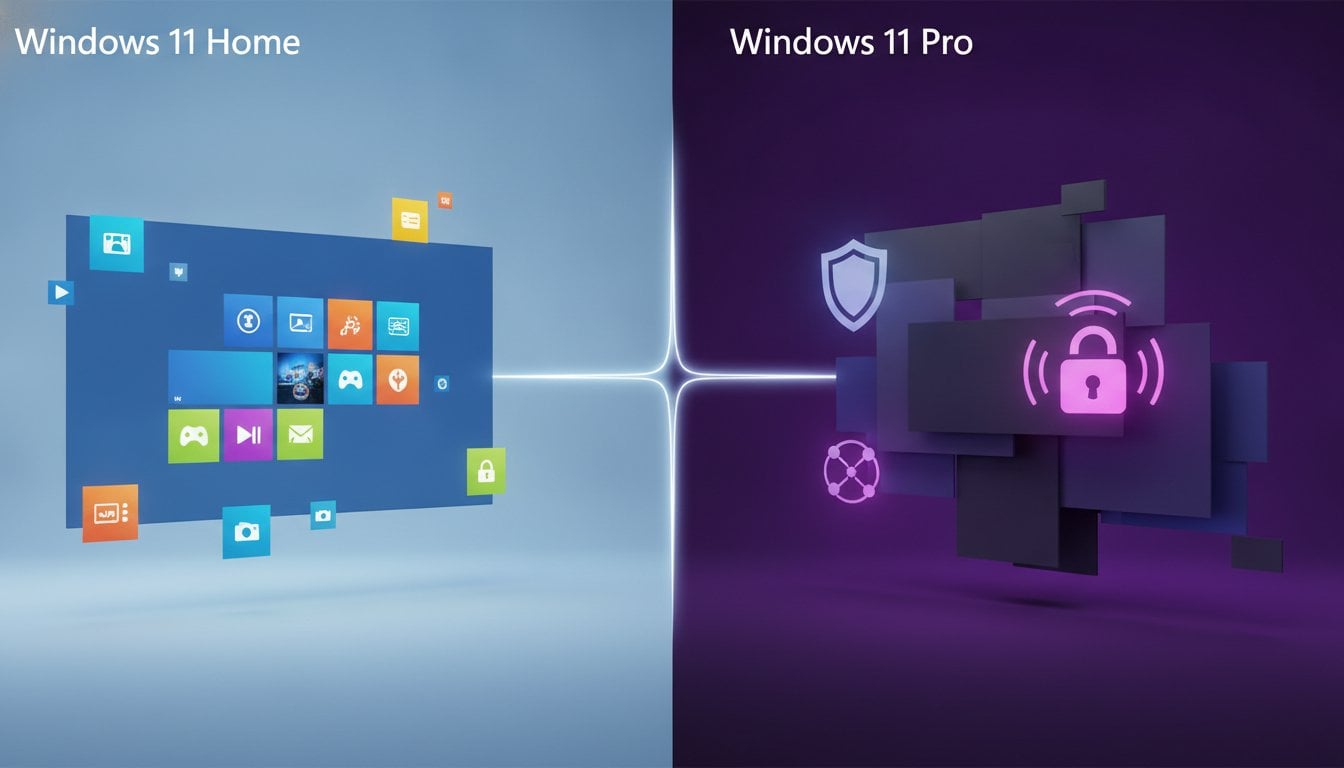
The most expensive option is not always the best, but the cheapest can end up costing you dearly. The battle between windows 11 pro vs home has long ceased to be only about technical gimmicks for IT experts. Today it’s about your privacy, the security of your data, and the stability of your system. Why settle for limitations when the most powerful version is within everyone's reach?
You probably recognize it: you want to buy a new license, but get tangled up in terms like BitLocker and Hyper-V. You simply want a smoothly running system without hassle or unnecessarily high costs. We put an end to the confusion. Discover in this guide which features really matter and how to avoid a wrong purchase. We guide you through the technical differences and show you how to switch directly, legally, and at a sharp price to the version that perfectly fits your needs. That way you never pay too much for features you don’t use and you get the certainty you deserve.
Key Points
- Understand the fundamental differences in the battle between Windows 11 Pro vs Home and discover why the Pro version is often the safer investment.
- Learn how BitLocker encryption and Windows Sandbox optimally protect your data and privacy against theft and malware.
- Find out whether, as a gamer or business user, you truly benefit from the extra RAM support and advanced networking features.
- See how you can upgrade your system in less than 10 minutes without having to reinstall all your files and programs’ again.
- Save a lot on your license by choosing legal, unused stock with an instant activation guarantee.
The basics of the choice: what is the difference between Windows 11 Home and Pro?
You buy a new PC and see two options. windows 11 pro vs home immediately raises questions for many people. Is the more expensive version really necessary? At first glance, you notice no difference at all. The interface looks modern and the performance is excellent in both versions. Windows 11 Home is the familiar foundation you find on almost every consumer laptop in the store. It is the standard version for everyday use. The Pro edition offers everything Home has, but adds essential tools for security and management. The biggest difference lies in how you protect your data and manage your system down to the finest details.
You don't just pick any version. You choose a level of control over your digital environment. While Home focuses on a smooth experience for the end user, Pro targets the person who wants to take no risks with sensitive information. In the battle of windows 11 pro vs home the Pro version effortlessly wins in terms of professional management and advanced privacy options. It is the vault around your operating system that the standard version lacks.
System requirements and installation
Both versions have exactly the same hardware requirements. Your PC needs a compatible 64-bit processor, at least 4 GB RAM and 64 GB storage. The notorious TPM 2.0 chip and Secure Boot are also required for a safe experience. You can view the full Windows 11 version history to see how these requirements have geëvolueerd over the years. The real difference only becomes apparent at the first start. Windows 11 Home almost always forces you to link a Microsoft account and have an internet connection during setup. Windows 11 Pro gives you more freedom. Here you can create a local account without being tied to Microsoft's cloud right away. That is a major plus for anyone who takes their privacy seriously from the very first second. Windows 11 version history bekijken om te zien hoe deze eisen door de jaren heen zijn geëvolueerd. Het echte verschil merk je pas bij de eerste start. Windows 11 Home dwingt je bijna altijd om een Microsoft-account te koppelen en een internetverbinding te hebben tijdens het instellen. Windows 11 Pro geeft je meer vrijheid. Hier kun je probleemloos een lokaal account aanmaken zonder direct aan de cloud van Microsoft vast te hangen. Dat is een groot pluspunt voor wie zijn privacy vanaf de eerste seconde serieus neemt.
Who is Windows 11 Home intended for?
Are you a student who mainly types essays? Or a family that uses the PC for Netflix, online banking and some light games? Then Windows 11 Home is a great choice. It is fully designed for entertainment and everyday productivity. You get all modern features such as Snap Layouts and widgets without the burden of complex business management features. It works straight out of the box and requires little technical knowledge. For most casual users this is more than sufficient. Still, it pays to consider a Windows 11 Pro license if you are looking for that extra security for your personal documents and want to retain more control over updates.
The exclusive features of Windows 11 Pro under the microscope
Why would you choose the Pro version? The answer lies in the powerful toolbox you get with it. In the comparison Windows 11 pro vs home the Pro version is the undisputed heavyweight champion. The most well‑known advantage is without doubt BitLocker device encryption. Imagine: you lose your laptop or it gets stolen on the train. Without BitLocker all your privéfoto’s, passwords and sensitive documents are just out on the street. With BitLocker your entire drive becomes unreadable to unauthorized persons. It provides ultimate peace of mind for anyone who uses their computer outside the safe walls of their home
Then there is Windows Sandbox. Think of it as a digital disposable camera for software. Want to open a suspicious file or test a program whose source you don’t trust 100%? Launch the Sandbox. It is a fully geïsoleerde environment within your own PC. As soon as you close the Sandbox, everything that happened inside disappears instantly. No trace of malware or junk remains on your main system. These are the key differences between Home and Pro that make the difference between a vulnerable system and an indestructible digital fortress.
For the real power users, Pro also offers Hyper-V and Remote Desktop. With Hyper-V you run virtual machines. That is ideal for testing other operating systems without restarting your PC. With Remote Desktop you simply take over your powerful desktop from the office using your lightweight laptop on the couch or on vacation. You work everywhere with the full computing power of your best device. Do you want to use these features today? You can directly and easily your Windows 11 Pro license activate.
Business management and network features
Are you working in a team or have your own business? Then Windows 11 Pro is simply indispensable. Via Azure Active Directory and Domain Join you effortlessly connect your PC to complex corporate networks. With Group Policy Management you manage all settings of various pc’s simultaneously from a single één central point. Not in the mood for unexpected restarts during an important presentation? Thanks to Windows Update for Business you now decide exactly when and how updates are geïnstalleerd. You retain control, not Microsoft
Advanced security for the demanding user
Security does not stop at a strong password. Windows Information Protection (WIP) helps you keep business and personal data strictly separated on the same device. This prevents sensitive corporate information from being accidentally shared via privé-apps like WhatsApp. For specific scenarios there is Assigned Access. With this you put a PC into the so‑called ‘kiosk mode’. The user can then only use a single specific app. This is perfect for public computers in a store or presentation screens at a trade fair. In the discussion about Windows 11 pro vs home is crystal clear: Pro gives you full control over your digital security.
Windows 11 Pro vs Home for specific users: gaming, work and privacy
Your needs determine your license. In the battle between windows 11 pro vs home there is no universal winner, only the right fit for your profile. While one user swears by simplicity, the other seeks maximum control. Are you a gamer who only wants the best performance, or a freelancer who lies awake because of GDPR regulations? The choice you make today determines how smoothly you work or relax tomorrow.
Below you can see the hard numbers in a clear overview:
| Feature | Windows 11 Home | Windows 11 Pro |
|---|---|---|
| Maximum RAM support | 128 GB | 2 TB |
| Number of supported CPUs | 1 (max. 64 cores) | 2 (max. 128 cores) |
| BitLocker encryption | No | Yes |
| Remote Desktop | Client only | Client & Host |
| Enterprise management (Azure AD) | No | Yes |
The choice for the gamer and creative professional
Play only the latest AAA titles? Then you usually have more than enough with Windows 11 Home most of the time. Features such as DirectStorage and Auto HDR, which reduce load times and improve colors, work identically on both versions. The 128 GB RAM limit in the Home edition is more than sufficient for gaming today. Creative professionals who run heavy 3D renders or complex video editing on high‑end workstations, however, hit that limit sooner. For them, the Pro architecture with support up to 2 TB RAM and dual processors is an absolute necessity to get the most out of their hardware.
Why freelancers in Belgium always choose pro
As a Belgian entrepreneur you cannot afford to be casual with customer data. The GDPR guidelines are strict. Full disk encryption with BitLocker is therefore not a luxury, but a basic requirement. It protects you from huge fines and reputational damage if your laptop is stolen. In addition, the Pro edition makes managing printers and shared folders in an office environment much easier. You can connect your device to a corporate domain in no time. For a professional appearance and optimal security, a Windows 11 Pro license for entrepreneurs is the only logical investment. It provides that extra layer of assurance you need to operate worry‑free. Many experts therefore specifically recommend Windows 11 for Business features for anyone who works professionally.
Privacy-conscious home users often make the same consideration. In the discussion about windows 11 pro vs home they choose Pro because they want to decide themselves which data they share and how their updates are handled. It's not about the extra features they use every day, but about the peace of mind that their system is sealed tight.
Upgrading to Windows 11 Pro: how does it work and is it worth it?
Do you think you have to wipe your entire computer to switch? That's a myth. In the discussion about windows 11 pro vs home the upgrade procedure is one of the biggest advantages. You don't actually have to reinstall Windows completely. With the correct license code you simply switch versions while all your files, photo’s and program’s remain as they are. No hassle. No time loss. The whole process often takes less than 10 minutes. It's a matter of entering a code, waiting briefly for the download of the extra features and restarting your system.
First check which version you are currently running via the system settings under the menu ‘Info’. Do you see there Windows 11 Home appear? Then you are ready for the next step. The switch to Pro is permanent. You never have to go back to the limitations of the Home version. You immediately enjoy the extra power that your system has had all this time, but was simply behind a digital lock. In comparison with the officiële Microsoft Store you also save tens of euro’s on exactly the same functionality.
Step-by-step plan for a smooth upgrade
Performing an upgrade is child's play. Follow these three simple steps to transform your system:
- Open the Settings on your PC and navigate to System and then to Activation.
- Choose the option Change product key and enter your new Pro key.
- Windows instantly recognizes the code and begins downloading the missing features.
Once the download is complete, your PC will request a restart. After rebooting, your system is fully switched to Windows 11 Pro. You can start using all the new tools immediately without having lost even a single file.
When is the upgrade worth the investment?
The upgrade to Pro is more than a technical extra. Are you often on the go with your laptop for work or study? Then the investment in BitLocker encryption alone is worth it. It protects your privacy at a level that Home simply does not offer. Also, for those who like to experiment with new software, the Sandbox feature is a godsend. You can test everything safely without contaminating your stable system. Moreover, do you want to be able to take over your powerful PC at home from another location? Only the Pro version lets your PC act as a host for Remote Desktop. Choose security and order yours today Windows 11 Pro license to upgrade directly and smoothly.
The best deal for your Windows 11 license at LicentiePromo
Why would you pay the full price at Microsoft? Hundreds of euro’s counting down for a license is simply no longer necessary. In the comparison windows 11 pro vs home the price is often the biggest hurdle, but we break that barrière down. At LicentiePromo you buy exactly the same functionality for a fraction of the price. How we do it? Very simple. We purchase unused stock from companies that no longer need them. That is 100% legal and gives you a huge financial advantage. You receive an officiële key without the unnecessary margins of the big distributors.
Direct delivery. No waiting times. Within 5 minutes you receive the license code in your mailbox. You can therefore start your upgrade immediately. Is something not working as expected? No panic. Our activation guarantee ensures that we personally help you until you Windows 11 Pro runs perfectly on your device. We won't leave you out in the cold with a code that doesn't work. That is the assurance of a reliable partner in an often opaque market.
Buy safe and reliable software in Belgium
The Belgian consumer is rightly critical. You don't want vague websites or hidden subscriptions that cost you money monthly. With us you pay once. No fine print. Do you have a question during the installation? Our Dutch-speaking support is ready to guide you through the process. Are you looking for the lowest possible price for your upgrade? Then be sure to check out our cheapest Windows 11 Pro license purchase guide. Here we explain in detail how you can maximize savings on your software without compromising on quality or legality.
Combine your upgrade with Office 2024
Your system is only truly complete when your work tools are also up-to-date. Why stop at your operating system? Complete the circle with an Office 2024 Professional Plus license. This gives you the latest versions of Word, Excel and PowerPoint without being locked into an expensive Microsoft 365 subscription. It’s the smartest move for your new laptop or desktop. A legal and up-to-date system gives you peace of mind to focus on what really matters. No error messages, no security holes, just software that does what it should. Choose the certainty of a professional setup and save today on your full package. Office 2024 Professional Plus licentie. Hiermee haal je de nieuwste versies van Word, Excel en PowerPoint in huis zonder dat je vastzit aan een duur Microsoft 365 abonnement. Het is de slimste zet voor je nieuwe laptop of desktop. Een legaal en up-to-date systeem geeft je de gemoedsrust om te focussen op wat echt telt. Geen foutmeldingen, geen beveiligingslekken, gewoon software die doet wat ze moet doen. Kies voor de zekerheid van een professionele setup en bespaar vandaag nog op je volledige pakket.
Choose today for full control over your system
The battle between windows 11 pro vs home ultimately revolves around één thing: your peace of mind. You now know that the Pro version is much more than a business add‑on. With BitLocker encryption and the secure Sandbox environment you transform your computer into an impregnable fortress. You choose a system that grows with your ambitions. Whether you are a demanding professional or a conscious home user.
Don't wait any longer for the next update or an unexpected security breach. At LicentiePromo you get a legal, permanent license with no monthly fees. You receive your code within 5 minutes by email. You enjoy our full activation guarantee on every purchase. It is the fastest and most cost-effective way to get the most out of your hardware.
Are you ready to leave the limitations behind? Buy your Windows 11 Pro license now with activation guarantee and enjoy an efficient and secure system right away. Your PC deserves the best software!
Frequently Asked Questions about Windows 11
What is the biggest difference between Windows 11 Home and Pro for an average user?
Security and control form the core of the distinction. While Home is perfect for daily tasks such as browsing and Netflix, Pro offers you BitLocker to encrypt your drive and Remote Desktop to control your PC remotely. In the comparison windows 11 pro vs home it is mainly about extra protection of personal data for the average user. It gives you the assurance that your files are unreadable to thieves if your laptop is lost.
Can I upgrade from Windows 11 Home to Pro without losing my files?
Yes, that can be done smoothly and without risk to your documents. You don’t need to reinstall Windows. Simply enter your new Pro key in the activation settings and your system will take care of the rest. Your apps, photos and settings will remain exactly where they are. The whole process usually takes less than 10 minutes and only requires a short restart of your computer to activate the new features.
Is BitLocker only available in the Pro version of Windows 11?
Yes, full BitLocker drive encryption is exclusive to the Pro edition. While Home has a very limited form of device encryption, Pro gives you full control and much stronger security. You can use it to protect individual drives or external USB sticks with a strong password. It is the gold standard for any user who wants to protect their privacy and sensitive information at a professional level.
Do I need Windows 11 Pro for gaming?
For most gamers, the Home edition is more than sufficient. All major game technologies such as Auto HDR and DirectStorage are present in both editions. You only need the Pro edition if your system has more than 128 GB of RAM or if you want to use Windows Sandbox to safely test unknown software or mods. It has no direct impact on your FPS or the graphical performance while playing.
Why are the licenses at LicentiePromo so much cheaper than at Microsoft?
We buy unused license volumes from companies that no longer need them. This is a fully legal practice within the European Union. You therefore purchase exactly the same official software as in the Microsoft Store, but without the huge profit margins of the middlemen. We pass this advantage directly on to you. You receive a legitimate code with 100% activation guarantee for a fraction of the normal price.
Do I need to subscribe to Windows 11 Pro?
No, you only pay once for your license code. A windows 11 pro vs home license with us is not a subscription and has no hidden monthly fees. Once activated, the software remains permanently valid on your device. You enjoy unlimited access to all future updates and features without ever having to pay again. It is a smart, one-time investment in a smoothly running system.
Does a Windows 11 Pro license code also work on a Mac with a virtual machine?
Sure, our license codes are perfectly suitable for use in virtual environments such as Parallels Desktop or VMware Fusion on a Mac. You need an official license to run Windows smoothly and legally on your Apple hardware. The Pro version is often the best choice here because of its superior network support and the ability to install professional Windows apps without any restrictions.