Original price was: €579,00.€39,99Current price is: €39.99.
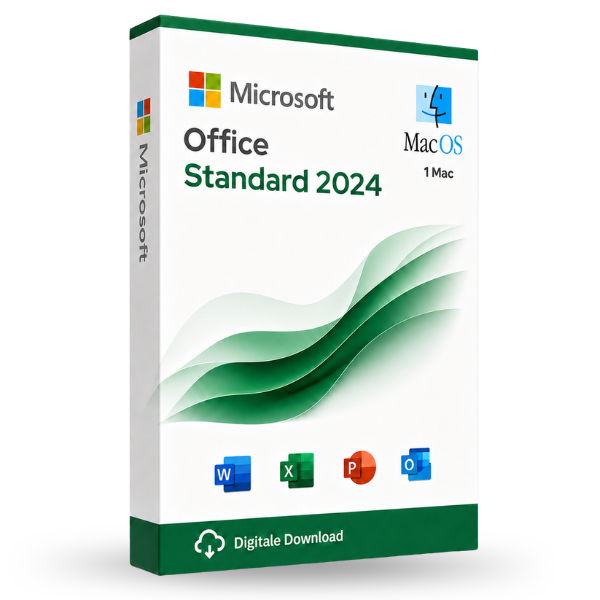
Microsoft Office Standard 2024 LTSC for MacOS is the most used office suite at this time and contains all the components you need.
This is a lifetime license ! You do not pay a subscription !
After ordering, you will receive the activation tool, manual, and download link directly from Microsoft.
This product can be installed on 1 Macbook, iMac, or Mac Mini with one of the latest three versions of MacOS and can be reinstalled on the same or another device if needed. (Not on iPad or iPhone) Also suitable for the new Mac’s with M1/M2/M3/M4/M5 Chip.
The activation can be reused on the same device and is not tied to an account (you can use your own account)
– Software can be installed in any language. (Dutch, French, English, German and 79 others)
– Including online updates from Microsoft during the support period of the package.
– Including official support from Microsoft on the software with online or telephone support
– Both for private individuals and businesses (you will receive your invoice immediately after your order)
– 24/7 support for both installation and activation
Take advantage now! Prices will rise again after this promotion ends.
100% activation guarantee
If activation does not work, money back!
Directly delivered
The license key will arrive in your mailbox shortly!
Lowest price
Always the lowest price guarantee!
Microsoft Office 2024 Standard for MacOS
With Office 2024 Standard, you receive an Office suite for the demanding user with a Mac laptop or desktop. It is perfect for freelancers, small businesses, and home users. Office 2024 Standard for macOS meets all the requirements expected of professional office software. Create standard letters, labels, engaging presentations, and manage your business numbers and appointments. Office 2024 supports you in all your professional and private projects to achieve pleasant results. The programs in Office 2021 meet the highest standards. Through regular updates from Microsoft, your software is always up-to-date. Benefit from the ongoing developments of the Office suite.
Office 2024 Standard for MacOS includes the following programs:
- Word 2024 – Create professional documents and develop your ideas.
- Excel 2024 – Create and evaluate tables, formulas with qualitative analysis features.
- PowerPoint 2024 – Persuade with effective presentations.
- Outlook 2024 – Manage your emails, contacts and appointments.
During installation, a language selection follows. Every European language is allowed. e.g., Dutch, English, German, French, Spanish, etc.
Compared to Office 2021, the 2024 version includes several improvements and extensions. Below we provide an overview of the additions and enhancements you can expect in the full suite:
Office 2024 delivers updated versions of Word, Excel, PowerPoint, and Outlook for Mac. Excel gets better performance, even when multiple worksheets are open at the same time, says Microsoft. Additionally, Excel gets new functions to make it easier to use text and arrays in a worksheet. With the new Image function, images can be added without changing the formatting. There are also options to visualize different datasets with dynamic arrays in charts, which are automatically updated when the arrays are recalculated.
Outlook receives, among other things, an improved search function, which makes search queries more detailed. Users can, for example, specify who the email should be from, whether the email has an attachment, and during which period it was received. The app also gains the ability to automatically check whether emails have accessibility issues. Finally, Mac users can now use swipe gestures in the app with a multi‑touch trackpad or Magic Mouse.
New design and usability
- Renewed ribbon and user interface: Office 2024 introduces a visual refresh of the user interface with a more modern design and a more intuitive navigation. The ribbon is further simplified to make important features more quickly accessible
- Dark Mode improvements: The dark mode has been further optimized and now works more consistently across all Office applications.
New features per app
- Word: Improved editorial tools, such as advanced language checking, and the ability to summarize documents with AI
- Excel: Extensive data analysis capabilities with new visualizations and advanced data insights through AI-driven analyses
- PowerPoint: Automatic slide generation based on text and improved design recommendations using AI
- Outlook: Smarter email management options, such as automatic sorting of emails and smart search options for faster finding of messages.
More security and privacy options
Office 2024 has introduced enhanced security measures, including improved data encryption and new privacy management features. This allows organizations to better protect sensitive information.
In short, Office 2024 offers more AI integration, better collaboration capabilities, an optimized cloud experience, a refreshed user interface, and enhanced security features compared to Office 2021.
Other products with good reviews
Microsoft Office
Microsoft Office Professional Plus 2016 License Code Original New!