Original price was: €129,00.€109,00Current price is: €109,00.
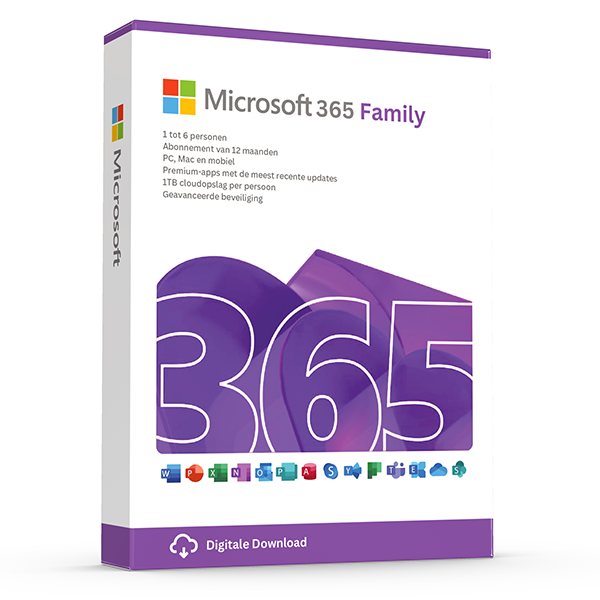
Microsoft Office 365 Family is a license for six users and you install it on up to 5 devices simultaneously per user, such as pc’s, Mac’s, Chromebooks, smartphones and tablets.
After ordering, you will receive a license code that you can redeem with Microsoft via setup.office.com and it will be linked to your own email address.
- With this package you have the latest and always up-to-date versions of Office software such as Word, Excel, PowerPoint, OneNote, Outlook, Access and Publisher at your disposal.
- This is a license for 1 year without a subscription obligation, after which you must renew the license yourself by renewing with Microsoft or purchasing a new license here again.
- Installable and usable in all possible languages
- Including official Microsoft support for the software
- Suitable for Windows 11, Windows 10, Mac: One of the 3 most recent operating systems, Android 9.0 or higher, iOS (16.0 and higher) (iPad, iPhone)
Take advantage now! Prices will rise again after this promotion ends.
In stock
100% activation guarantee
If activation does not work, money back!
Directly delivered
The license key will arrive in your mailbox shortly!
Lowest price
Always the lowest price guarantee!
Make the most of your time. Be active, creative and productive. Together.
Make the most of your productivity with Microsoft 365 Family, including Word, Excel, PowerPoint and Outlook in a single license. With Microsoft 365 you also get storage on OneDrive to safely take your files anywhere. Your subscription lasts 1 year and you always have the right to update to the latest version. Install this license up to 5 times per user on Windows, Mac computers and mobile devices (smartphones / tablets).
Microsoft 365 Family: Sleeker, Improved and Super Fast
The well‑known programs Word, PowerPoint and Excel have been expanded with extra functionalities. Use Microsoft Editor to lift your reports or stories to new heights. The Presenter Coach helps you effectively present your beautifully designed PowerPoint presentations. Money in Excel is the perfect solution to keep your finances organized. Microsoft 365 Family is sleeker, improved and super‑fast.
Buy Microsoft 365 Family and enjoy for 1 year the latest versions of all Office-programma’s. Your subscription includes updates to newer versions during the subscription period. This license is intended for 6 users
The user can install the package on Windows and Mac computers, Android or iOS smartphones, and Android or iOS tablets. Eén user can activate up to 5 devices simultaneously through the subscription (30 devices in total)
-
- Share with one to six people
- Each person may use the product on up to 5 devices simultaneously
- Works on PC, Mac, iPhone, iPad and Android phones and tablets
- Up to 6 TB secure cloud storage (1 TB per person)
- Word, Excel, PowerPoint and OneNote with offline access and premium features
- Microsoft Defender, advanced protection for your personal data and devices
- Outlook, secure email without ads
- Microsoft Editor, advanced guidance for spelling, grammar and writing
- Clipchamp video editor with premium filters and effects
- Extensive content library with high‑quality photo’s, icons, fonts, video’s and audio
- Contact support via chat or email for help when you need it
Overview of the benefits
1 TB cloud storage per user
1000 GB secure storage for your files, foto’s, video’s, e-mails and much more.
Protection of personal data and devices
Manage your digital security easily with Microsoft Defender. Stay protected from online threats with advanced protection for your favorite devices.
Secure storage space for foto’s and files
Store your foto’s and files in OneDrive and benefit from the ability to recover files. Open your files on different devices. (OneDrive files can be restored up to 30 days after malicious attacks, file corruption or accidental deletion and editing.)
Secure email without ads
Use Outlook to manage multiple email accounts, agenda’s, task lists and contacts, and benefit from geïntegreerde security tools to protect your data.
Powerful productivity apps
Use Word, Excel, PowerPoint and OneNote to collaborate in real time or work offline. You get design, writing and speaking suggestions, and access to an extensive collection of royalty‑free creative content, including templates, standard photos’s, icons and fonts.
Advanced guidance on spelling, grammar and writing
Write documents, email and web text with confidence using features that let you improve your spelling, grammar and style with the Microsoft Editor.
Video editor with premium filters and effects
Create and edit beautiful video’s easily with the robust tools
Applications are always up-to-date
With a Microsoft 365 subscription you get new innovative features and updates as soon as they are released, so you always work with the newest and best.
Microsoft support
We are here for you with ready-made technical support for Microsoft 365 and Windows 11 via chat or phone to help you when you need assistance.
Publisher (PC only)
Create simple greeting cards and labels or professional newsletters and posters.
Access (only for PC)
Create and manage databases for large and small projects.
All‑day video calls with Microsoft Teams
Join group calls and talk up to 30 hours with up to 300 people via Microsoft Teams.
60 minutes of Skype calls
Stay in touch with friends and family on their mobile or landline with 60 Skype minutes per month. (Skype account required. Excludes special, premium, and non-geographic numbers. Calling phones is only available in certain countries. Skype minutes are available in certain countries and require activation.)
System requirements: Computer and processor PC: 1 gigahertz (GHz) or faster x86-bit or x64-bit processor with SSE2 Mac: Intel processor Chromebook: Intel processor Memory PC: 1 GB RAM (32-bit); 2 GB RAM (64-bit) Mac: 1 GB RAM Chromebook: 1 GB RAM Hard drive PC: 3.0 GB available disk space Mac: 2.5 GB HFS+ formatted hard drive Chromebook: 3.0 GB available disk space Display PC: 1024 x 768 screen resolution Mac: 1280 x 800 screen resolution Chromebook: 1024 x 768 screen resolution Graphics: Graphical hardware acceleration requires a DirectX 10 graphics card. Operating system Windows OS: Windows 10, Windows 8.1, Windows Server 2019, Windows Server 2016. Mac: One of the three most recent operating systems. Chromebook: Chrome OS Browser Minimum Windows Internet Explorer 9 Minimum Mozilla Firefox 12 Minimum Google Chrome 18
Other products with good reviews
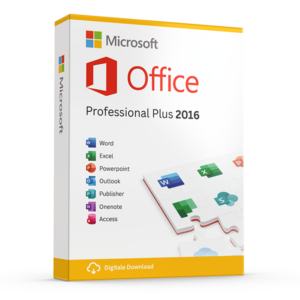
Microsoft Office
Microsoft Office Professional Plus 2016 License Code Original New!