Original price was: €279.00.€69,90Current price is: €69.90.
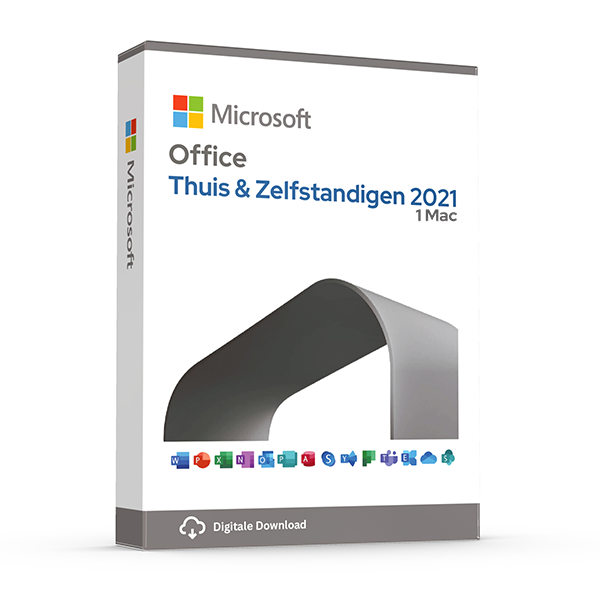
Microsoft Office Home & Self-Employed 2021 for Mac is the most widely used office suite at the moment for Mac and others and includes all the components you need.
This is a lifetime license ! You do not pay a subscription !
After ordering, you will receive the activation code, manual and download link directly from Microsoft. This product can be installed on 1 Macbook, iMac or Mac Mini with one of the last three versions of MacOS and can be reinstalled on the same device if necessary. Also suitable for the new Mac's with M1, M2, M3, M4 or M5 Chip.
CAUTION: THIS LICENSE DOES NOT WORK ON WINDOWS! (Windows version can you HERE find)
The Office version 2024 for Mac can be HERE found
The product can be installed in various languages, including Dutch, English, German, or French.
Take advantage now! Prices will rise again after this promotion ends.
In stock
100% activation guarantee
If activation does not work, money back!
Directly delivered
The license key will arrive in your mailbox shortly!
Lowest price
Always the lowest price guarantee!
Microsoft Office 2021 Home & Business for Mac
With Office 2021 Home & Business (also known as Office 2021 Home Use and Self-Employed) you receive an Office package for the demanding user. It is perfect for freelancers, small businesses and home users. Office 2021 Home & Business meets all the requirements expected of professional office software. Create standard letters, labels, engaging presentations and manage your business numbers and appointments. Office 2021 supports you in all your professional and personal projects to achieve pleasant results. The programs’ in Office 2021 meet the highest standards. Through regular updates from Microsoft your software is always up-to-date. Benefit from the continuous developments of the Office suite.
In Office 2021 Home & Business the following programs are included:
- Word 2021 – Create professional documents and develop your ideas.
- Excel 2021 – Create tables, make formulas and evaluate with the qualitative analysis functions.
- PowerPoint 2021 – Convince with effective presentations.
- Outlook 2021 – Manage your emails, contacts and appointments.
- OneNote 2021 – Bundle your notes in one place.
During installation, a language selection follows. Every European language is allowed. e.g., Dutch, English, German, French, Spanish, etc.
Compared to Office 2019, the 2021 version offers several improvements and enhancements. Below we provide an overview of the additions and improvements you can expect in the full suite:
General
- Visual refresh designed with clean monoline iconography in mind
- New media content inventory
- Microsoft Search Bar in all apps for general searches
- Improved performance
- Updated Draw tab with new additions: Point Eraser, Ruler, and Lasso
- Support for OpenDocument format 1.3
- Sketch style outline option for shapes
- Addition of a field with hexadecimal color values when selecting colors
Microsoft Excel
- XLOOKUP search for finding information in tables and ranges
- Dynamic array functions, including FILTER, SORT, SORTBY, UNIQUE, SEQUENCE, and RANDARRAY
- LET function that assigns names to calculation results
- XMATCH function that searches for a specified item and then returns the relative position of the item
Microsoft PowerPoint
- Slide show recording now includes options for presenter video recording, ink recording and laser pointer recording
- You can replay ink strokes to illustrate things step by step or to visualize a thought process
- You can view slide elements in screen reading order and rearrange them if necessary
Microsoft Outlook
- Email translation for more than 70 different languages will be supported
- Make annotations on email images with your finger, pen, or mouse
- With the Direct Search feature you can quickly find specific emails
Microsoft Office 2021 Pro frequently asked questions
The main difference between Microsoft 365 and Office 2021 Professional lies in the purchase method and the features offered. Microsoft 365 is a subscription service that is continuously updated with the latest features along with extra benefits such as substantial OneDrive storage.
Office 2021 Professional, on the other hand, is a one-time purchase that gives users access to the classic Office applications with all security and application updates. You can save a lot of money on subscriptions. You will not have extra OneDrive storage, but here are alternatives.
Yes, Office 2021 Professional supports both 32-bit and 64-bit versions on Windows, while the Mac version supports only 64-bit. This ensures that users can choose the version that best fits their system architecture
Although Office 2021 Professional can be used offline for most features, internet access is required for activation, receiving updates, and using certain features such as online storage services. A regular internet connection also helps ensure activation status and receive important security updates
Office 2021 introduces several new features and improvements, such as XLOOKUP and Dynamic Arrays in Excel, a dark mode in Word, and enhanced capabilities for slideshow recordings in PowerPoint. These updates improve the user experience and provide advanced tools for data analysis and presentation
For Windows users, Office 2021 Professional Windows 10 home or Windows 10 Pro or Windows 11 Home or Windows 11 Pro or later. This ensures that the software performs optimally on systems that are up-to-date with the latest operating system innovations from Microsoft
When installing Office 2021 on a Mac, it is important to first check whether your device meets the system requirements. Apple only allows the installation of Office on the latest three versions of macOS.
A license for Office 2021 Professional allows 1 installation on één single device. The version for 5 allows you to install on 5 devices. Office 2021 Professional Plus with account allows you to install on 1 device and allows you to reinstall unlimitedly on the same or a new/another device. This underscores the importance of choosing the right device for your installation
Depending on the subscription, Office 2021 includes desktop versions of Outlook, Word, Excel, PowerPoint, OneNote, Access (PC only) and Publisher (PC only). It also includes Office 2021's integration with MS Teams.
Other products with good reviews
Microsoft Office
Microsoft Office Professional Plus 2016 License Code Original New!