
Remove ads in Windows 11 with this simple free app.
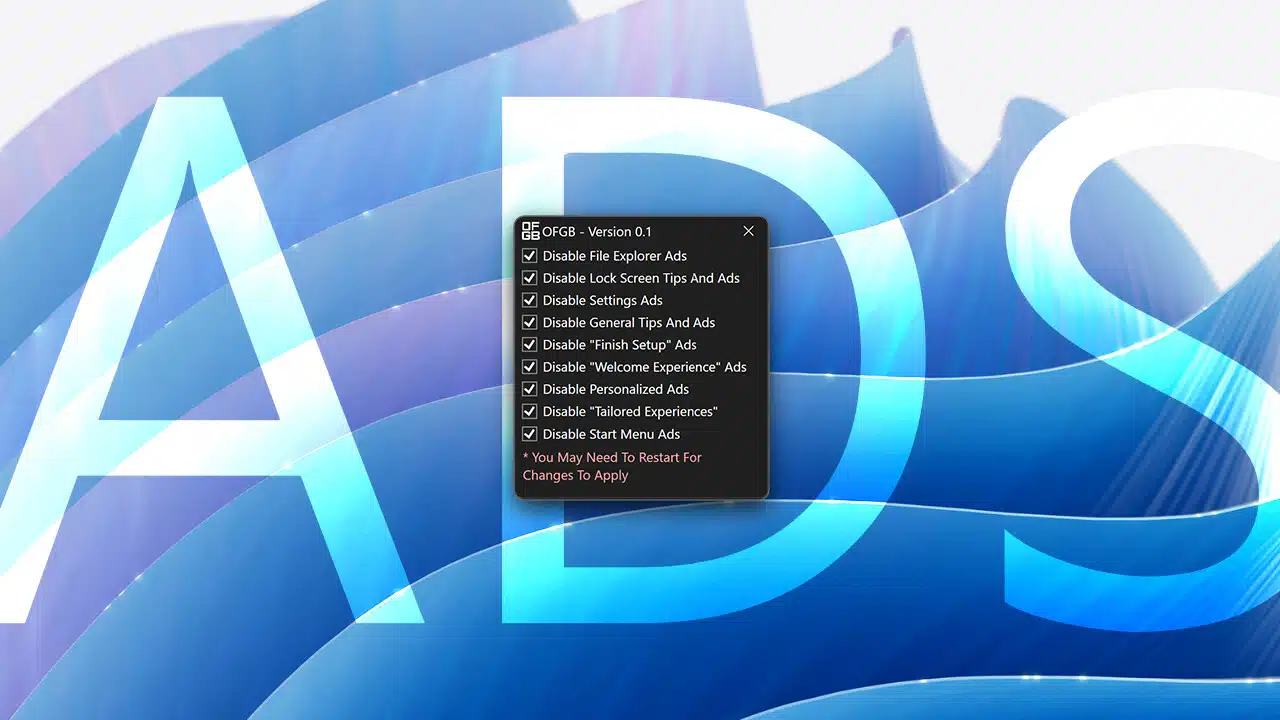
It does not appear that Microsoft will refrain from injecting more ads into Windows 11. If the recent changes, such as app ads in the Start menu, don't sit well with you and going back to Windows 10 is not an option, third‑party apps and tweakers can make your Windows 11-experience less frustrating.
OFGB, which stands for Oh F**k Go Back, is a new app that wants to provide its customers with a simple, user‑friendly method to disable ads in Windows 11 . OFGB uses the Windows registry to disable ads throughout the operating system. These include, among others:
- File Explorer ads
- Tips and ads for the lock screen
- Settings ads
- General tips and ads
- Ad “Complete installation
- Welcome page ads
- Personalized ads
- Personalized experiences
- Start menu ads
You only need to check all the boxes to disable those annoying ads.
It is worth noting that OFGB is not the only app that can automatically make changes to the Windows registry to remove ads. Wintoys, the app that recently received a major update, can also remove some of the annoyances of Windows 11 remove. The creator of Tiny11 Builder also says that future updates will make it possible to create custom Windows 11-images with fewer ads:
However, if you need a simple app to Windows 11 make it cleaner, OFGB seems like a good choice. It appears that many people do not want to deal with the current state of Windows 11, as shown by the declining market share.