Original price was: €549.00.€59,90Current price is: €59.90.
Price per license per PC: only 11€ !
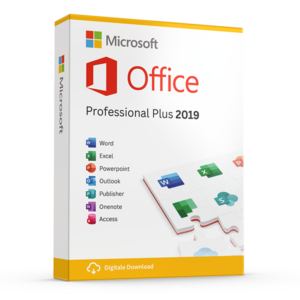
Buy Microsoft Office Professional Plus 2024 for the PC without a subscription for private individuals or freelancers. After your payment you will receive the activation code directly in your mailbox together with the download link and manual. This is a lifetime one-time activation. No monthly subscription!
– Software can be installed in any language. (Dutch, French, English, German and 79 others)
– Including online updates from Microsoft during the support period of the package.
– Including officiële support from Microsoft on the software
– Invoice shortly in your email
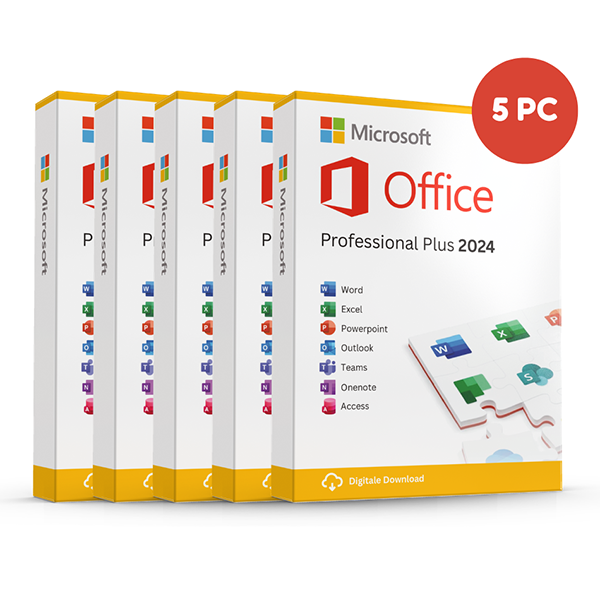
Attention! This version is suitable for 1 installation on 5 different pc’s and works only on Windows 10 or 11 Home or Pro (So not on older Windows versions, Chromebooks, iPad’s or MAC Os).
The version with account (unlimited installation and reinstallation on other PCs’s/laptops) can be HERE found.
The version for Mac can be HERE purchased.
Take advantage now! Prices will rise again after this promotion ends.
100% activation guarantee
If activation does not work, money back!
Directly delivered
The license key will arrive in your mailbox shortly!
Lowest price
Always the lowest price guarantee!
The successor of Office Professional Plus 2021 is available: Office Professional Plus 2024. This full suite again includes a lot of products: Word, Excel, PowerPoint, Outlook, OneNote, Access.
Office 2024 is the latest version of the Microsoft Office suite. Office 2024 Professional plus is the best option for people who want to use Office and do not want an annual subscription. Note: Office 2024 for Windows works only in combination with Windows 10 home or Windows 10 Pro or Windows 11 Home or Windows 11 Pro
Microsoft Office 2024 Professional
This package is purchased one-time, so there are NO monthly or annual fees associated. You will be more productive and work faster with this new version of Microsoft Office. The new Office 2021 package makes it possible to save documents quickly and easily locally on the computer, or you can also choose to store them in the cloud, for example if you use OneDrive.
What is included with Office 2024 Professional Plus?
Office 2024 Professional Plus is a collection of popular Office programs. The software listed below is included in this bundle. With a few simple clicks you can install this software directly on your PC:
– Microsoft Access 2024
– Microsoft Outlook 2024
– Microsoft Word 2024
– Microsoft Excel 2024
– Microsoft Powerpoint 2024
– Microsoft OneNote
– Integratie met Microsoft Teams 2024
During installation, a language selection follows. Every European language is allowed. e.g., Dutch, English, German, French, Spanish, etc.
Compared to Office 2021, the 2024 version includes several improvements and extensions. Below we provide an overview of the additions and enhancements you can expect in the full suite:
Improved user interface and new default Office theme
Based on feedback from users like you, Office 2024 provides a more natural and consistent experience within and between your Office apps. This new look applies fluent design principles to offer an intuitive, familiar experience across all your applications. It shines on Windows 11, while the user experience on Windows 10 continues to be improved.
If Word 2024 unexpectedly stops before you have saved the changes, Word opens all documents you had open when the program stopped. This allows you to continue where you left off and you will not lose any data that you have not saved.
Improved search and more options for creating meetings
In Outlook 2024, improvements have been made to searching in messages, attachments and calendars’ so that when you type your search query the most relevant suggestions appear. Additionally, Outlook 2024 gives users more options for creating and managing meetings. You can now insert breaks between conversations by automatically shortening meetings depending on the length.
Present with cameo and create a video in Recording Studio
In PowerPoint 2024 you can use Cameo to insert your live camera feed directly into a PowerPoint slide and apply the same effects as on an image or object, such as formatting, transitions, and styles. Additionally, you can record your PowerPoint presentation, or just a single slide, capturing your voice, ink gestures, and video. You can then export the recorded presentation as a video file and play it for your audience.
Dynamic charts and new features in Excel
Excel 2024 introduces handy improvements for working with charts and functions. Charts can now automatically adjust to data that varies in size, thanks to dynamic arrays. This means that when you change or update data, the charts automatically adjust themselves without you having to manually modify anything. Additionally, 14 new functions have been added for editing text and data series (also called arrays). With these functions you can easily split, concatenate and edit text, as well as combine, modify or shrink data series, making your work faster and easier.
Microsoft Office 2024 Pro Frequently Asked Questions
The main difference between Microsoft 365 and Office 2024 Professional lies in the purchase method and the features offered. Microsoft 365 is a subscription service that is continuously updated with the latest features along with extra benefits such as substantial OneDrive storage.
Office 2024 Professional, on the other hand, is a one-time purchase that gives users access to the classic Office applications with all security and application updates. You can save a lot of money on the subscriptions.
You will not have extra OneDrive storage, but here are alternatives.
Yes, Office 2024 Professional supports both 32-bit and 64-bit versions on Windows, while the Mac version supports only 64-bit. This ensures that users can choose the version that best fits their system architecture
Although Office 2024 Professional can be used offline for most features, internet access is required for activation, receiving updates, and using certain features such as online storage services. A regular internet connection also helps ensure activation status and receive important security updates
Office 2024 introduces several new features and improvements, such as XLOOKUP and Dynamic Arrays in Excel, a dark mode in Word, and enhanced capabilities for slideshow recordings in PowerPoint. These updates improve the user experience and provide advanced tools for data analysis and presentation
For Windows users, Office 2024 Professional requires Windows 10 Home or Windows 10 Pro or Windows 11 Home or Windows 11 Pro or later. This ensures that the software performs optimally on systems that are up-to-date with Microsoft's latest operating system innovations
When installing Office 2024 on a Mac, it is important to first check whether your device meets the system requirements. Apple only allows the installation of Office on the latest three versions of macOS. At the time of this post, you therefore need at least macOS 13.x.
A license for Office 2024 Professional allows 1 installation on a single device. The version for 5 allows you to install on 5 devices. Office 2024 Professional Plus with account allows you to install on 1 device and lets you reinstall unlimitedly on the same or a new/other device. This underscores the importance of choosing the right device for your installation
Depending on the subscription, Office 2024 includes desktop versions of Outlook, Word, Excel, PowerPoint, OneNote, Access (PC only) and Publisher (PC only). It also includes integration with MS Teams.
You can download the software directly, completely safely:
Follow this link for the Dutch version: https://licentiepromo.be/download/Office_Professional_Plus_2024_NL_64Bit.exe
Follow this link for the English version: https://licentiepromo.be/download/Office_Professional_Plus_2024_EN_64Bit.exe
Follow this link for the French version: https://licentiepromo.be/download/Office_Professional_Plus_2024_FR_64Bit.exe
Follow this link for the German version: https://licentiepromo.be/download/Office_Professional_Plus_2024_DE_64Bit.exe
Always remove all other Office versions from your system. Also trial versions of Office 365! (Your files, emails and settings will always be retained and will be automatically transferred when installing the new version)
Go to start – settings – apps and remove any Office you find in this list. If this does not work, you can read here how to uninstall Office: https://support.microsoft.com/nl-be/help/4027149/how-to-uninstall-office-automatically or you can the Office removal tool use.
The file you downloaded is compressed with Winrar and has a .exe extension. This allows you to run it directly without having to install Winrar. When you open the file, it automatically starts the setup and Office 2024 is installed automatically from the Microsoft servers.
Depending on how your computer is configured, you may receive a warning from your browser or another antivirus scanner that the file might be harmful. This is a standard warning that Windows displays when running files that are not frequently downloaded. Because we host the startup files on our own servers, we can guarantee that they are safe. Click on “More information” and then on “Run anyway” to start the installation.
After installing, start an Office app such as Word or Excel and you can enter the license key for activation.
If you have problems with the installation or activation, please first consult our support page: https://licentiepromo.be/klantendienst
If the online activation does not work you can always take “previous” on this screen and choose free telephone activation.
Please activate the licenses within 30 days.
Other products with good reviews
Microsoft Office
Microsoft Office Professional Plus 2016 License Code Original New!